


Changelog
What's new in SSIM Toolkit.
What changed in each release, newest first — the same notes the app shows under What's New.
0.4.0
LatestA new SSIM Toolkit: every page rebuilt around the questions schedulers ask.
- Changed
A new look, and one way to choose what you see
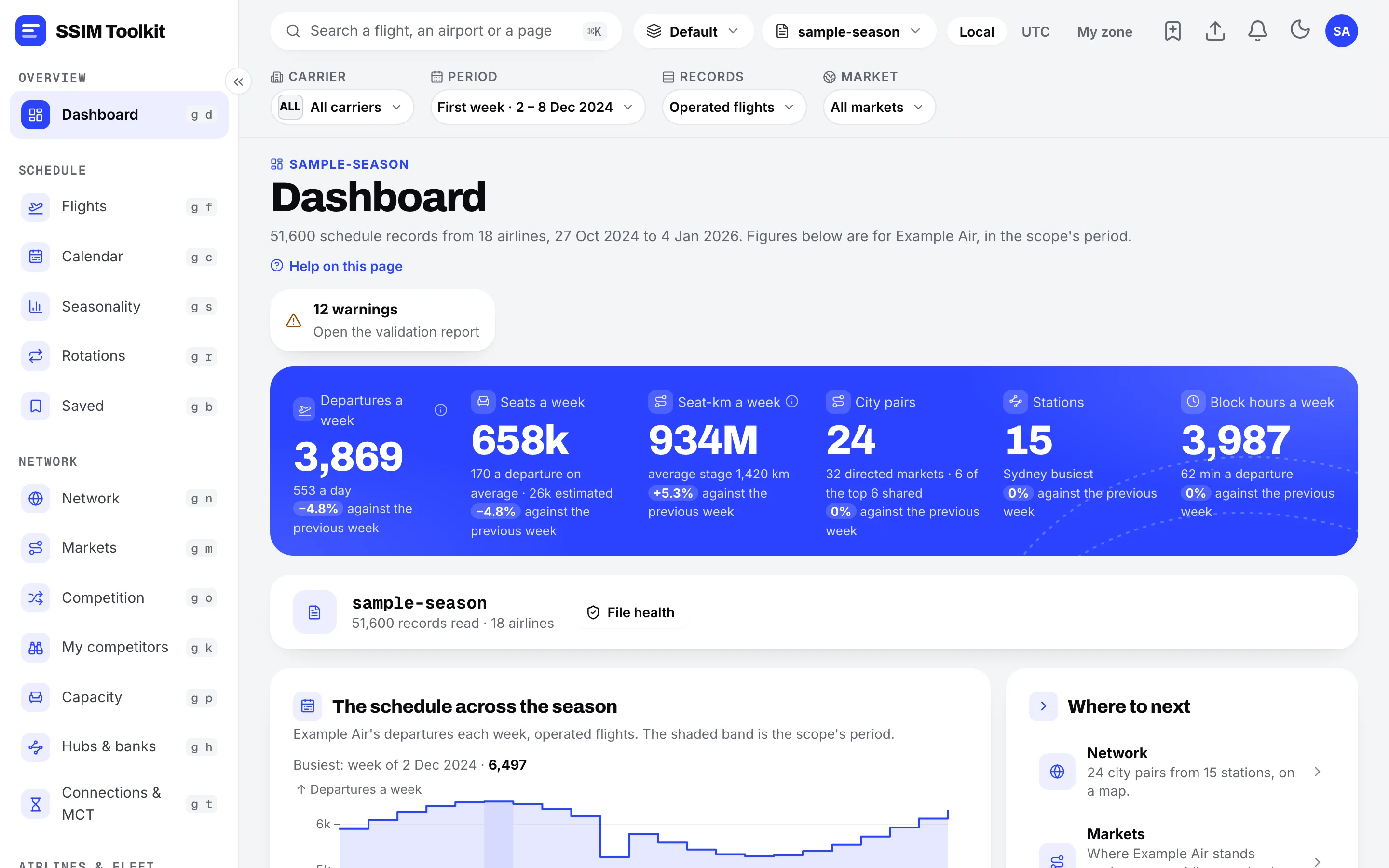
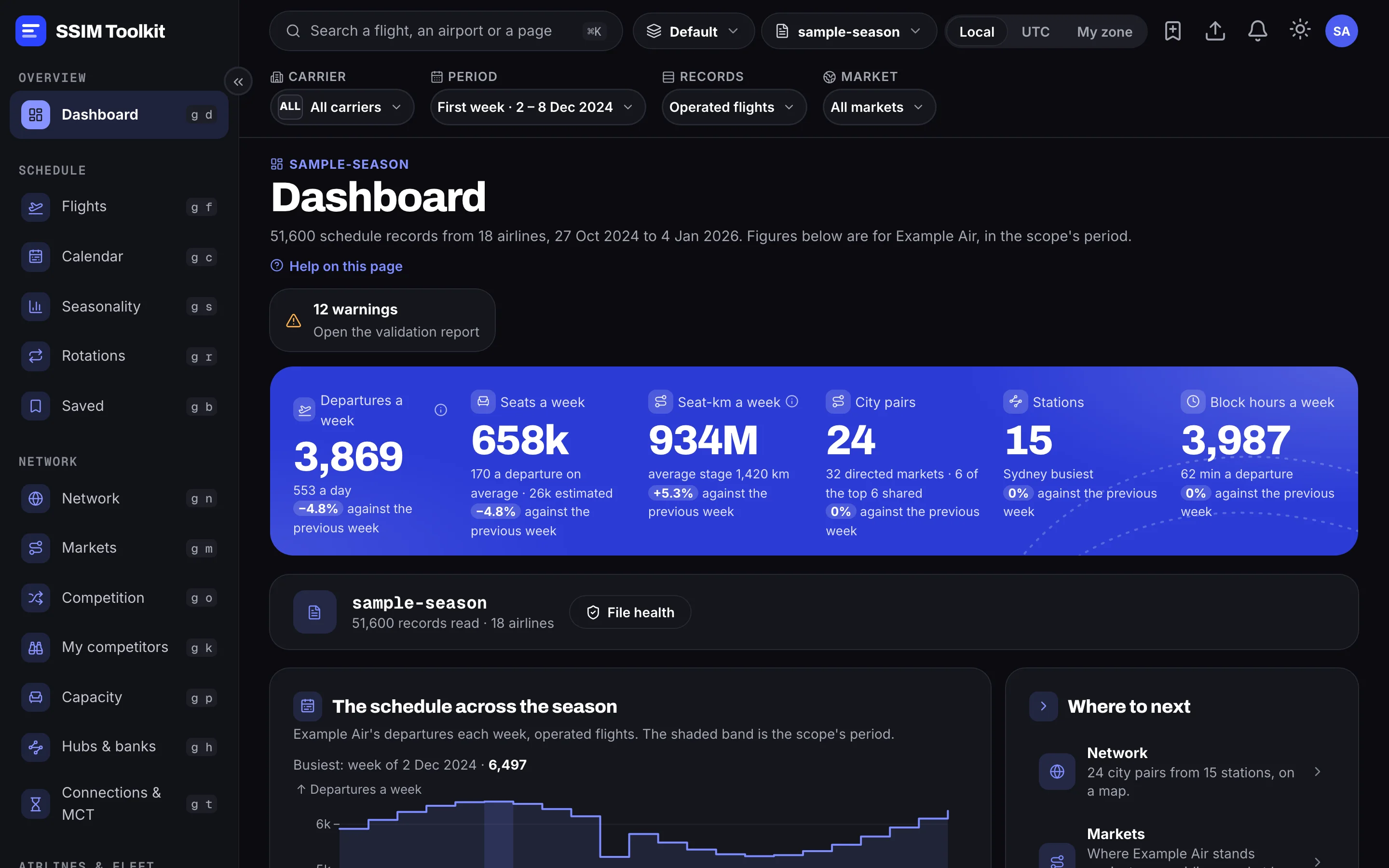
Every page is new. A bar at the top of each page sets the period, the airlines, the clock and the records it counts, and the page keeps them as you move around. Pages open on the first full week of the file.
- Added
Your airline, your home airport and your partners
Tell the app which airline you work for in Settings. Pages then lead with it: its markets, its rivals, its hubs. Partner airlines you list count as onward connections at a hub.
- Added
Markets, competition and capacity
Each market shows who flies it, their shares of seats and departures, and how the week is built. Competition and My competitors compare you with the airlines you meet most, week by week. Capacity breaks seats down by cabin, and Seasonality follows the schedule through the year.
- Added
Hubs and banks
For any airport: the connecting waves, connections that miss or are tight against the minimum connecting time, aircraft on the ground, and what moving one flight would break.
- Added
Airlines, aircraft, rotations and code shares
An airline's page shows its network, fleet, stations and code-share partners, and the airlines that fly its own flights for it under its code (a wet lease or shared designation), which are no longer counted as code shares. Rotations follow an aircraft through its day.
- Added
Compare two files
See which flights were added, removed or changed between two versions of a schedule, how capacity moved, and the weak spots a change opens up.
- Added
Saved views, notes and bookmarks, in workspaces
Save a page as you set it up, keep notes on flights and markets, and keep separate work apart in workspaces.
- Added
Times on the clock you choose
Read every time in each airport's local time, in UTC, or in your own time zone.
- Added
Exports as Excel, CSV or JSON from every table
An export holds the same rows the page lists.
- Added
Long work shows its progress and can be stopped
Reading a file, opening a data set, comparing files and large exports show each step as they go, with a Stop button.
- Fixed
Flights that differ only in their variation number are kept apart
A schedule can file more than ninety-nine versions of a flight, numbering the hundreds separately. Variations such as 01 and 101 were read as the same flight, so a flight page could show the other one, with its findings.
- Changed
Opening the app again brings the open window forward
Starting SSIM Toolkit while it is already running no longer opens a second copy.
- Note
Pages named in earlier notes have new homes
The notes below describe the previous interface. The route map is now on Network and on each market's, airport's and flight's page, and deconfliction is part of each airport's hub page.
- Note
Each data set is read again from its file, once
The first time this version opens a data set, it reads the schedule file again so every page can use what is new. It is automatic and keeps your bookmarks, and on a large file it takes a while. If the file has moved since you first read it, the app asks for it: choose the file, then Replace.
- Changed
0.3.3
Acting on your feedback — and a flying-time error it led us to.
9 changes
- Fixed
Flying times were wrong on schedules published in UTC
A schedule states whether its times are local to each airport or in UTC. We were treating every file as local, so on a UTC schedule the flying time came out wrong by the difference between the two airports' clocks — a three-and-a-half-hour sector could read as thirty minutes. Anything built on flying time was affected: rotations, aircraft utilisation and seat-hours. Schedules published in local time were always correct.
- Fixed
Data elements are shown by what they actually contain
An operating-airline disclosure was being drawn as a list of booking classes, so an airline's name appeared under a heading about fares. The booking classes themselves were never shown as the fare list they are, and arrived as one unbroken run of letters.
- Fixed
The two halves of a duplicate-leg reference are told apart
One names the flights that duplicate this one; the other names the flight that actually operates. Both were headed the same way, so it was possible to read one and conclude the opposite of the truth about which flight flies.
- Added
When nothing matches, the app says what is missing
Searching for a market the file does not contain now says so and names it, and distinguishes that from a result your other filters ruled out. Where it helps, it points at what the file does have instead.
- Added
A back link on flight, airline and airport pages
It names the page you came from and takes you back to it as you left it, with your filters still applied.
- Added
Every data element says what it means
Each one keeps its name from the standard, with a plain-language line underneath — so a card explains itself without a manual.
- Added
This page
What's New, in the menu next to About. It opens by itself the first time you run a new version, and you can read it any time.
- Changed
The itinerary variation is on the flight page
It is what tells apart several records of the same flight number. It is on flight detail and in exports; it is deliberately not in the flights list, which stays readable.
- Note
Opening an existing data set takes longer, once
As with the last version, the first time you open a data set on this build it rebuilds the index it answers questions from. Automatic, once per data set, and slow on a large file — it has not stalled.
- Fixed
0.3.2
Analysis numbers corrected, and the map finally draws your own file.
7 changes
- Fixed
Analysis counts each flight once
When several airlines sell seats on the same flight, that flight is filed once per airline. Every count was adding them all up, so a market could show 46 airlines competing where there are 9, and an airport could show three times its real movements. The Flights list still shows every record, as it should.
- Fixed
Flight dates show the year from the schedule
Flight detail printed the same year for every flight whatever the file said. It now reads the year off the record, and says so plainly when a schedule has no end date.
- Fixed
The Route Map draws the file you opened
The Route Map, the Airports network-reach card and the Overview map teaser all drew a bundled sample network, whichever file was open.
- Added
Set the capacity Deconfliction works against
A movements-per-30-minutes box on the Deconfliction page, remembered per airport. Conflict counts now follow a figure you chose.
- Added
Check for Updates… in the menu bar
- Changed
Settings no longer points at a customer portal
The licence section described buying seats somewhere that does not exist, and never explained the free period or what read-only means.
- Note
Opening an existing data set takes longer, once
The first time you open a data set on this version it rebuilds the index it answers questions from. It happens automatically and only once per data set, but on a large file it is slow — it has not stalled.
- Fixed
0.3.1
Upgrading from an older preview no longer opens expired.
1 change
- Fixed
An upgraded install could start locked
If you had run an earlier preview on the same machine, a freshly installed build could open already expired and refuse to let you in, even though the new build was well inside its preview period.
- Fixed
0.3.0
Signed installers on macOS and Windows.
1 change
- Changed
The installers are signed
The macOS build is notarised, and the Windows installer carries a verified publisher. Earlier previews were unsigned, which is why they warned on first launch.
- Changed