


A revised schedule arrives. What did it break?
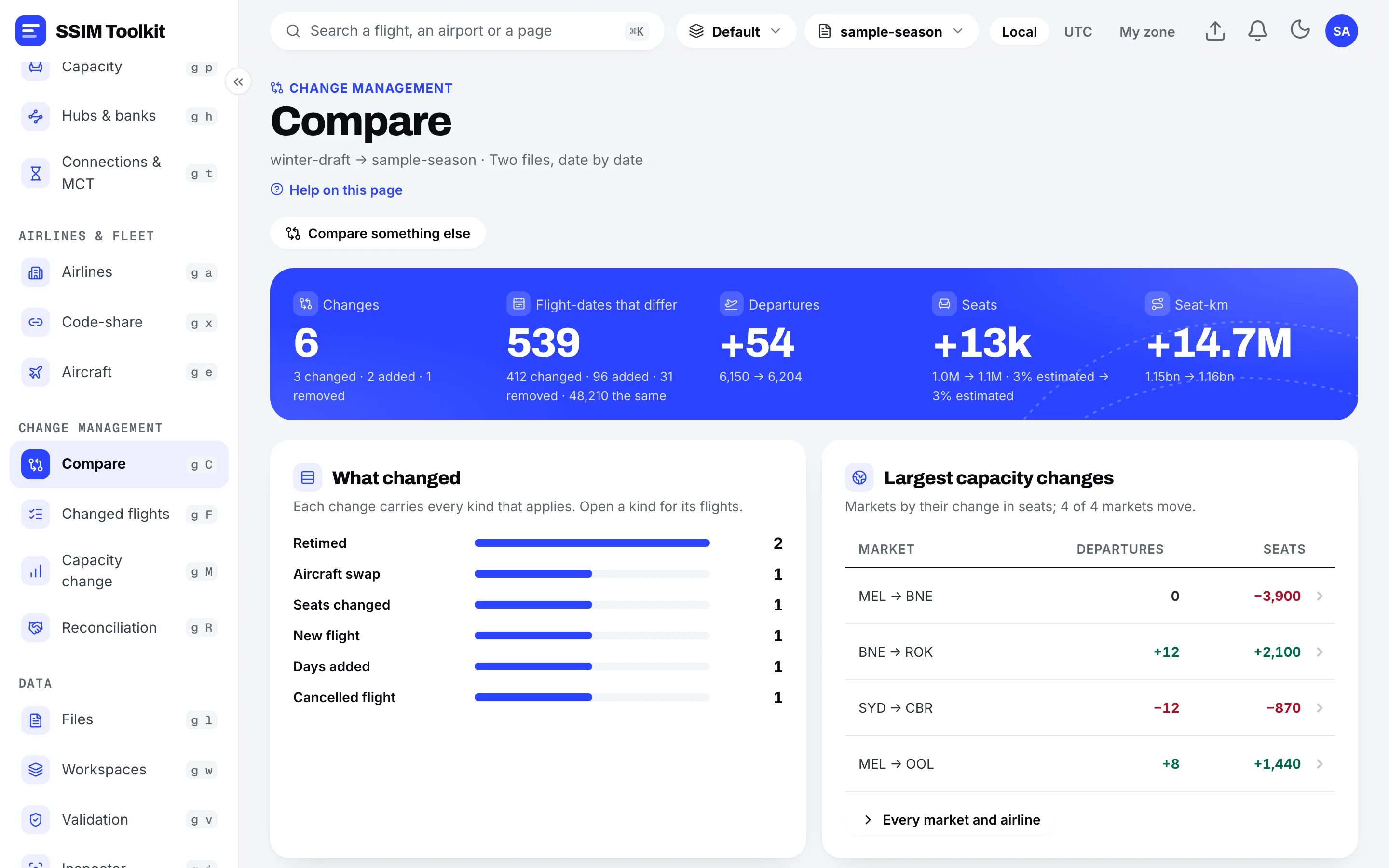
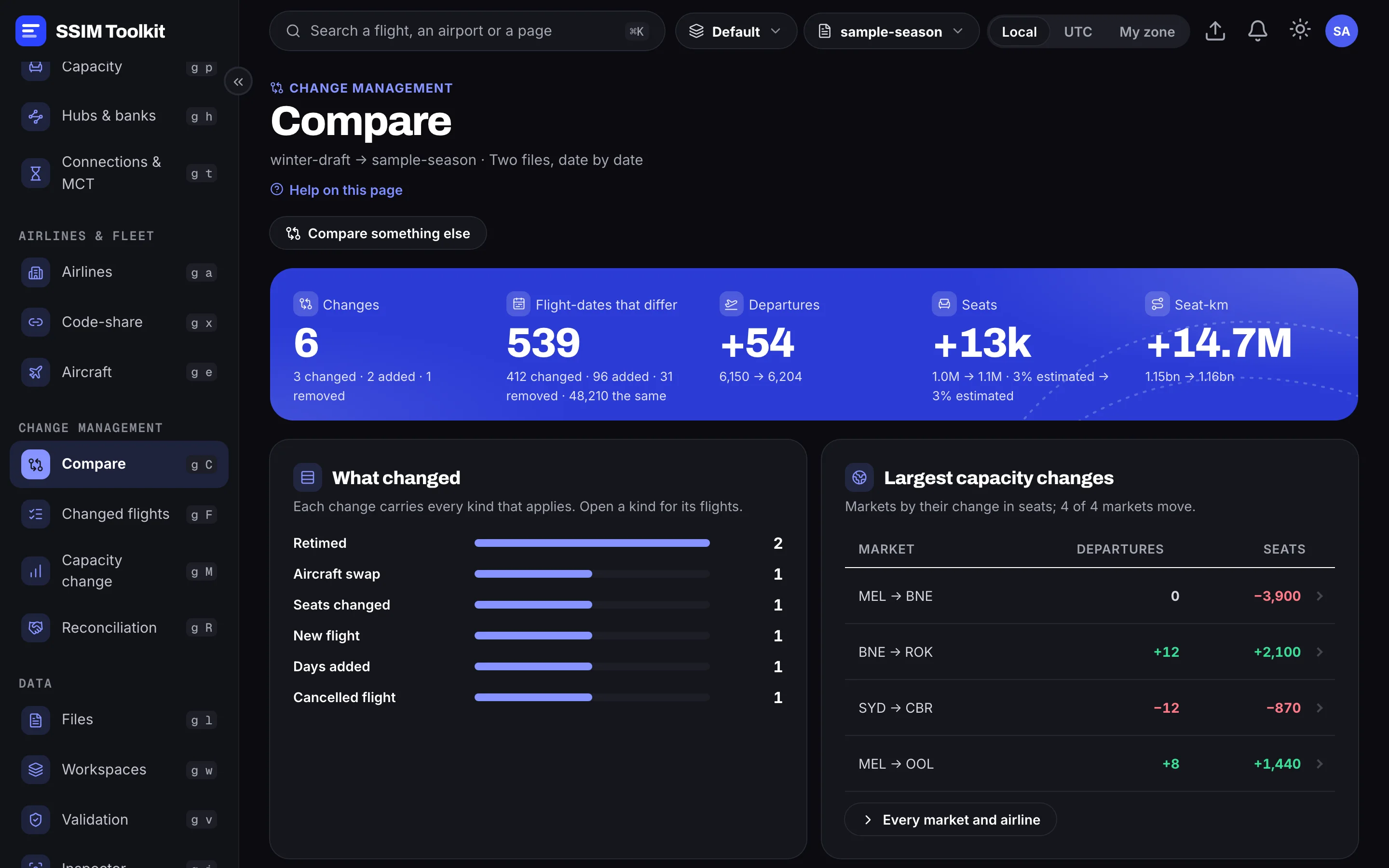
Two files read date by date: every flight added, removed, retimed or swapped, the capacity it moved, and the weak spots it opens for your airline.
SSIM Toolkit · Early Access Preview
The local workbench for airline schedule data. Open the schedule files you already receive and see what changed, where connections break, where you stand — exactly, and entirely on your machine.
Free during the Early Access Preview · macOS and Windows · Pricing · Watch the introduction (4 min)
Introduction
What an SSIM schedule file is, who reads one, and how SSIM Toolkit turns it into answers on your own machine.
Start here
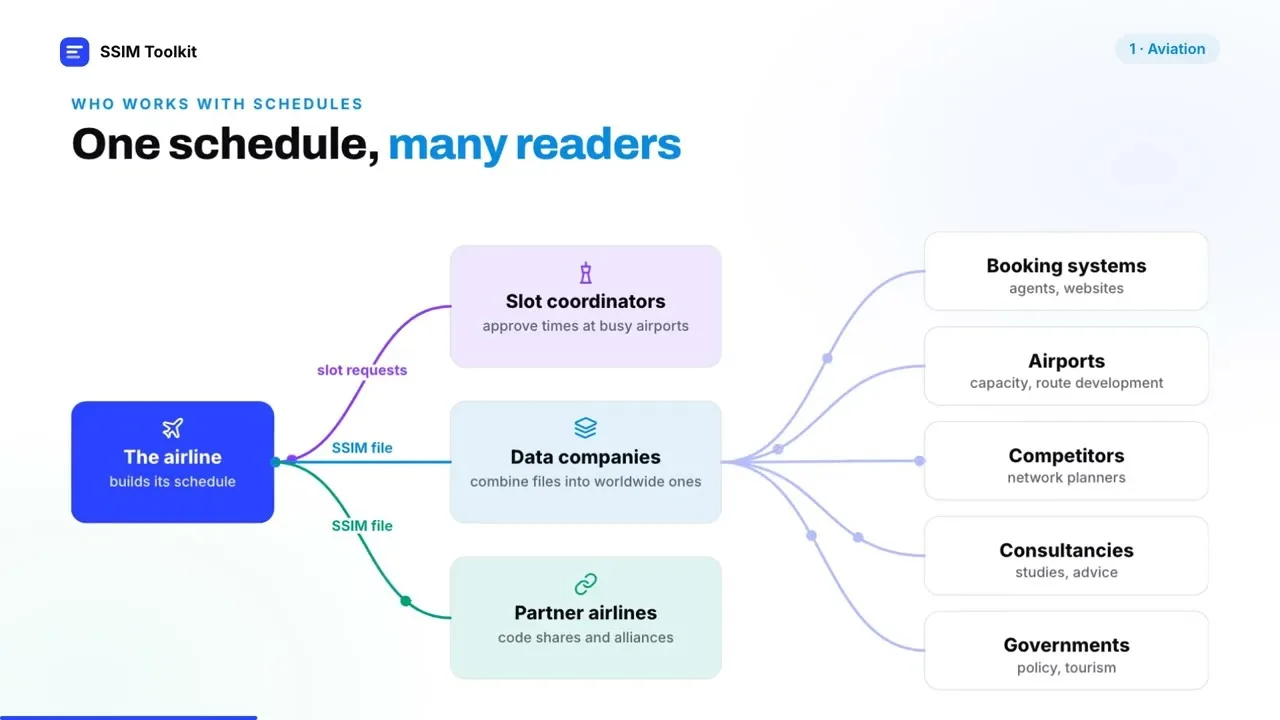
Airlines exchange schedules as IATA SSIM files: dense lines of fixed-width text, each one a pattern of flights across a season. SSIM Toolkit reads every one and turns it into flights you can question.
Two files read date by date: every flight added, removed, retimed or swapped, the capacity it moved, and the weak spots it opens for your airline.
Banks as waves, every connection judged against your minimum connecting times, and what moving one flight would win or break — before anyone files it.
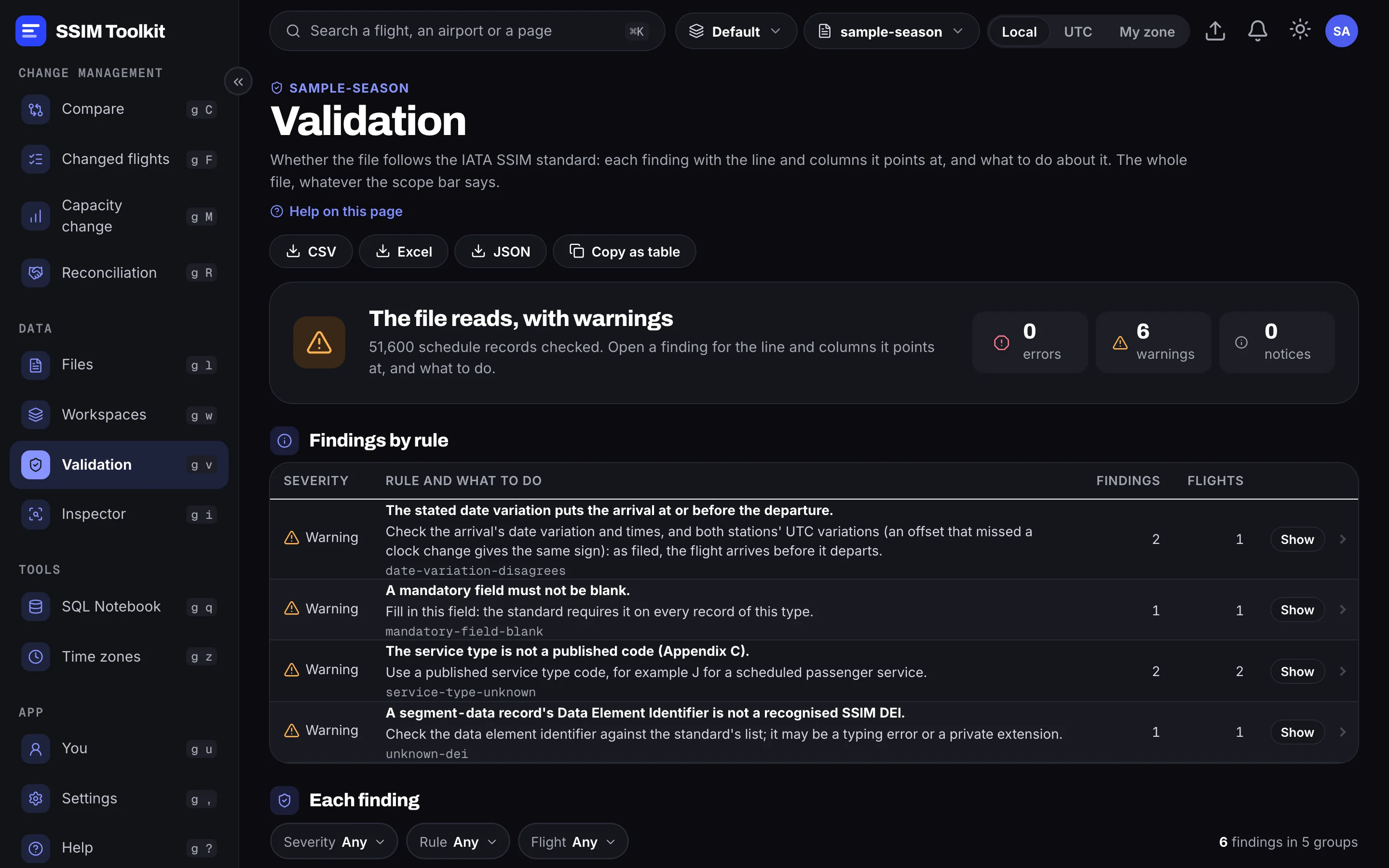
Every market banded sole, dominated, led or contested, your share against each rival, and the gap where you trail.
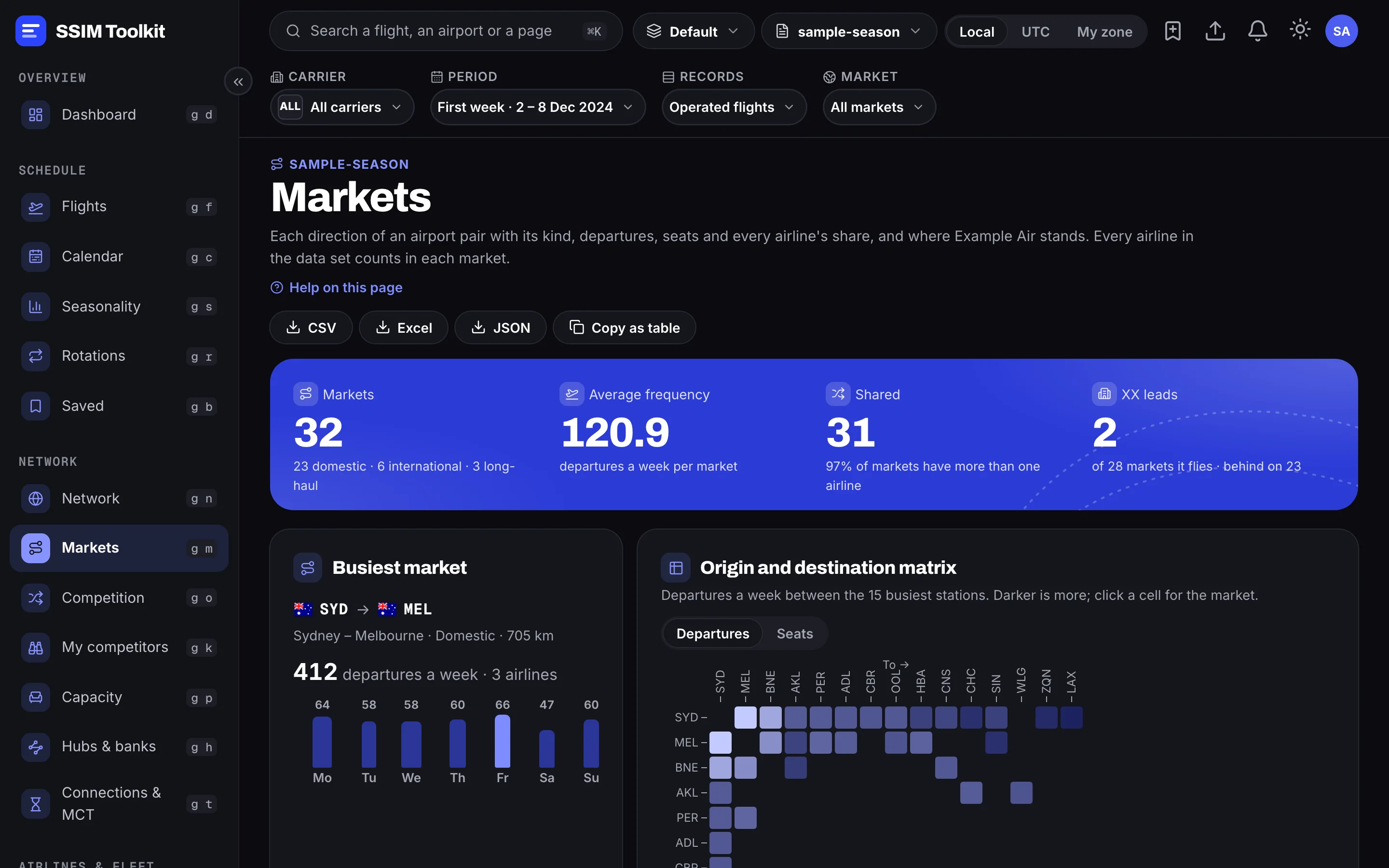
Every record checked against the IATA standard, each finding pinned to where it is, with what was expected and what to do.
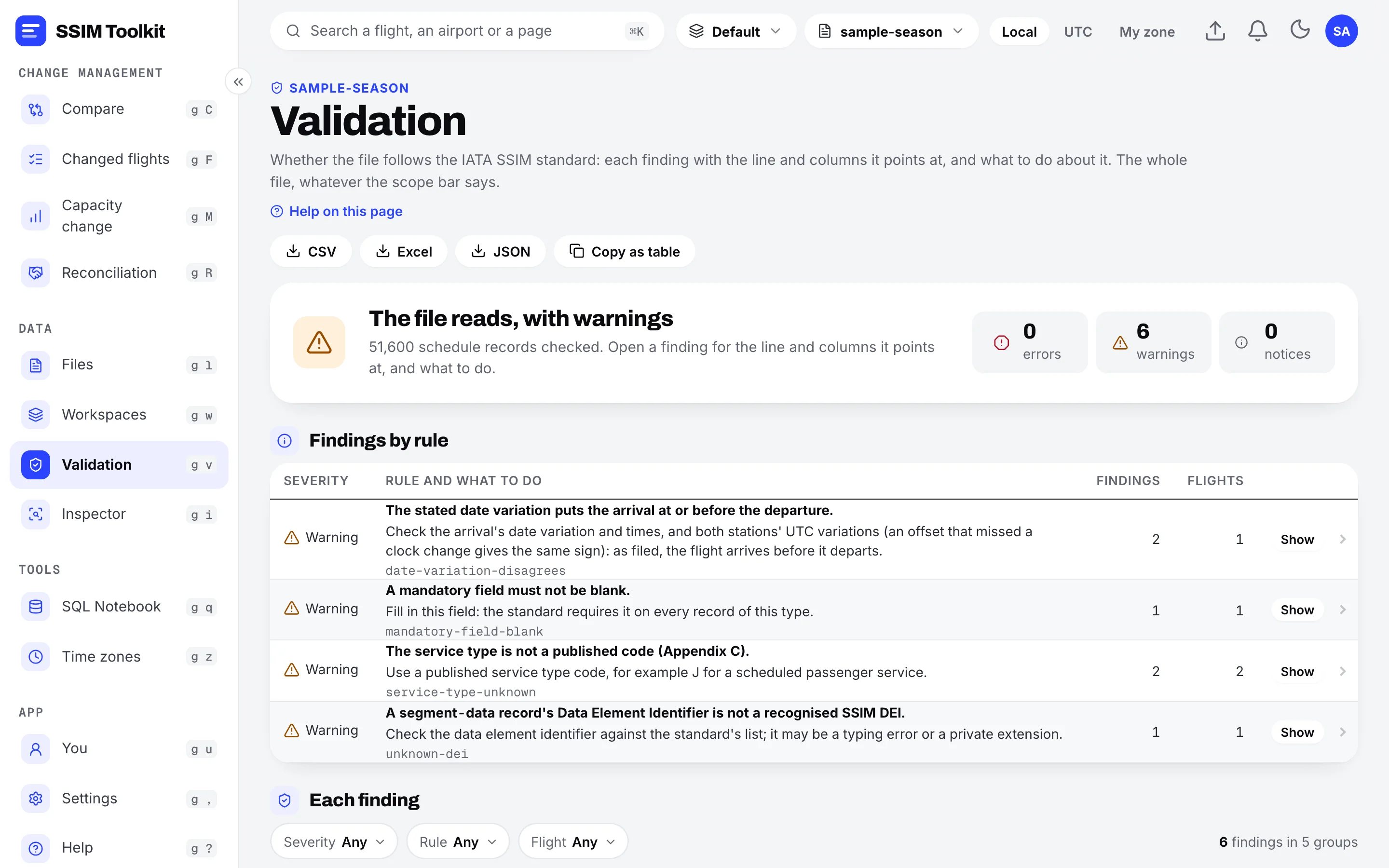
A look inside
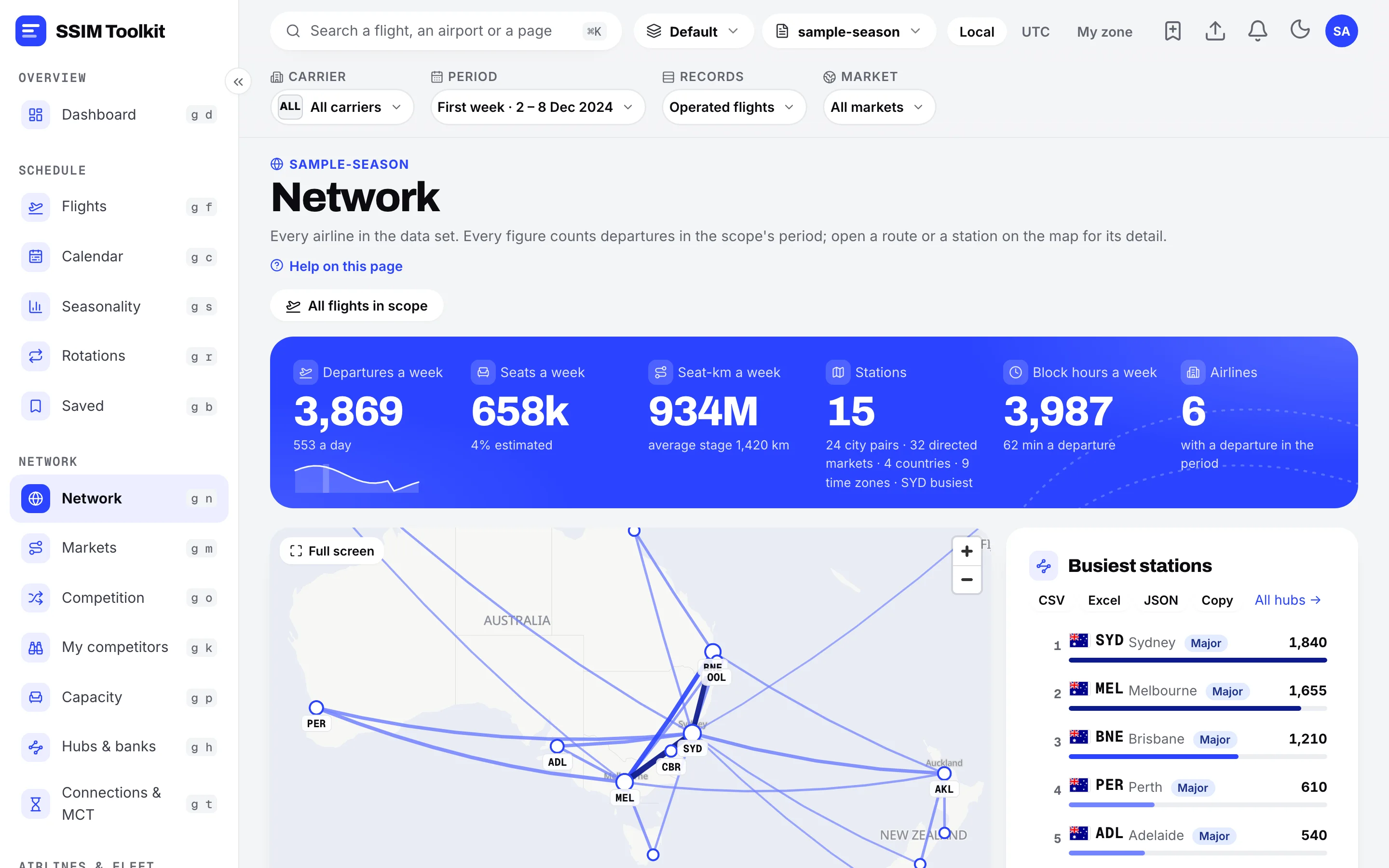
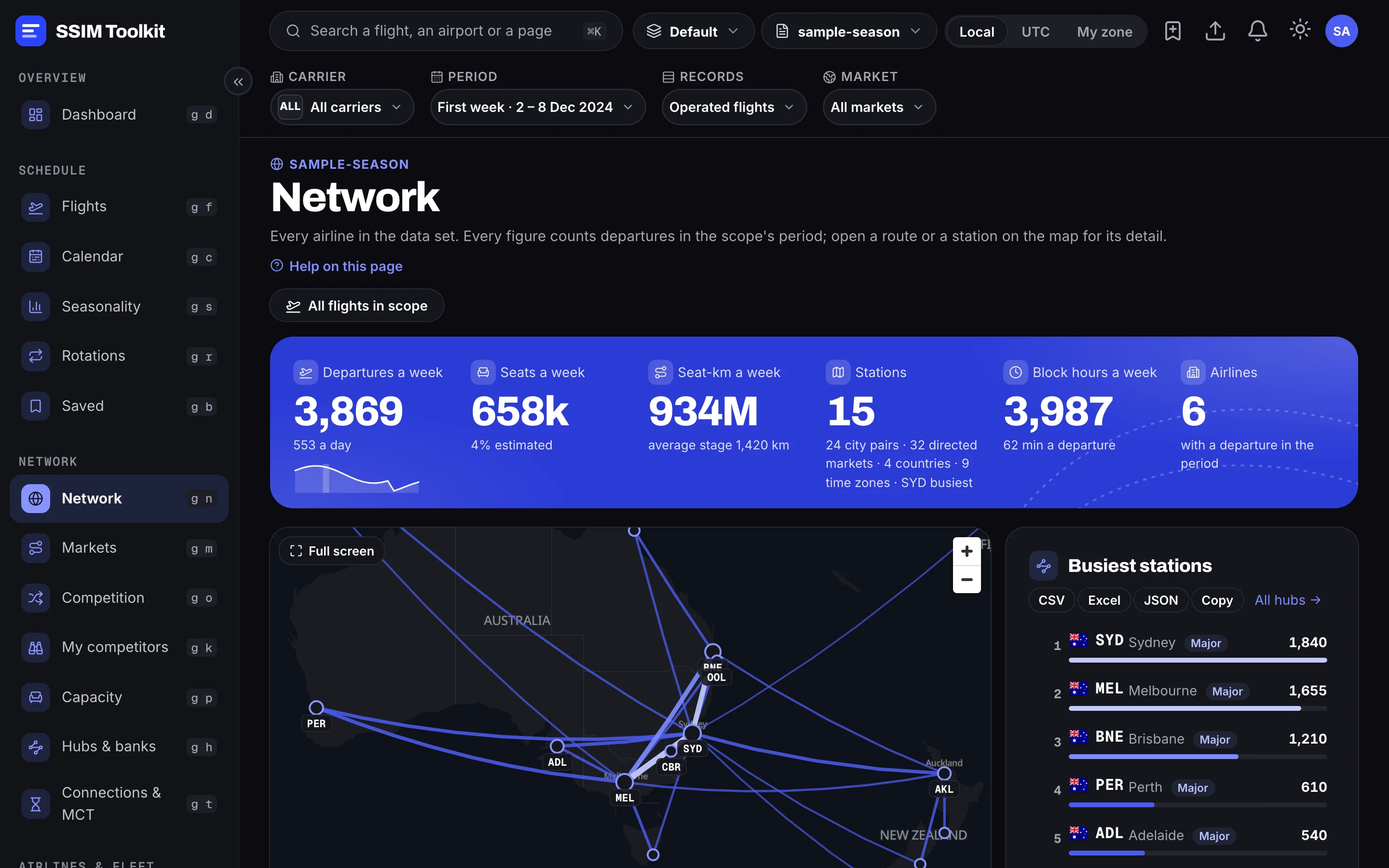
Every route on a map, weighted by how often it flies, with the busiest stations ranked.
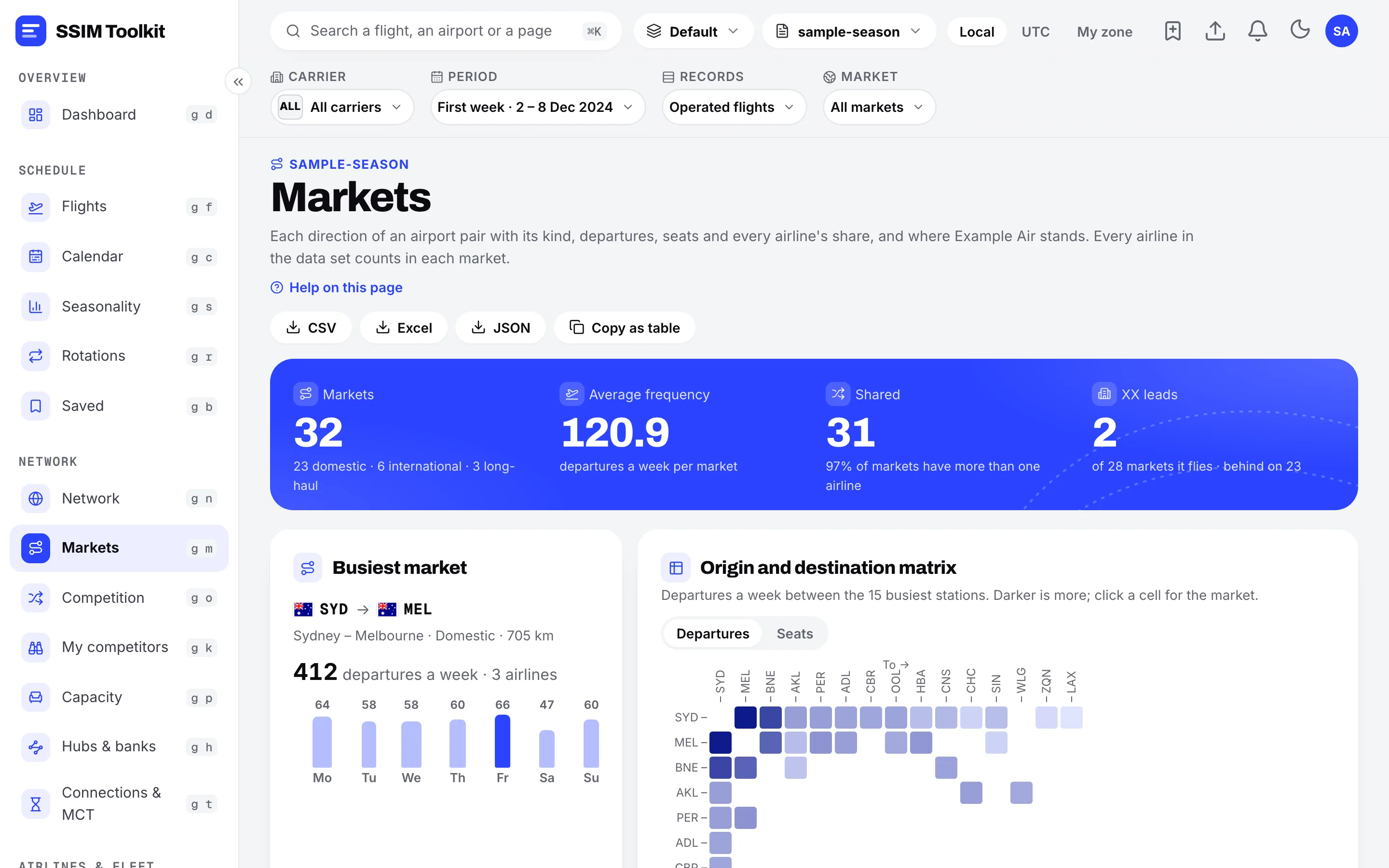
Each airport pair with every airline's share of seats and departures, and how its week is built.
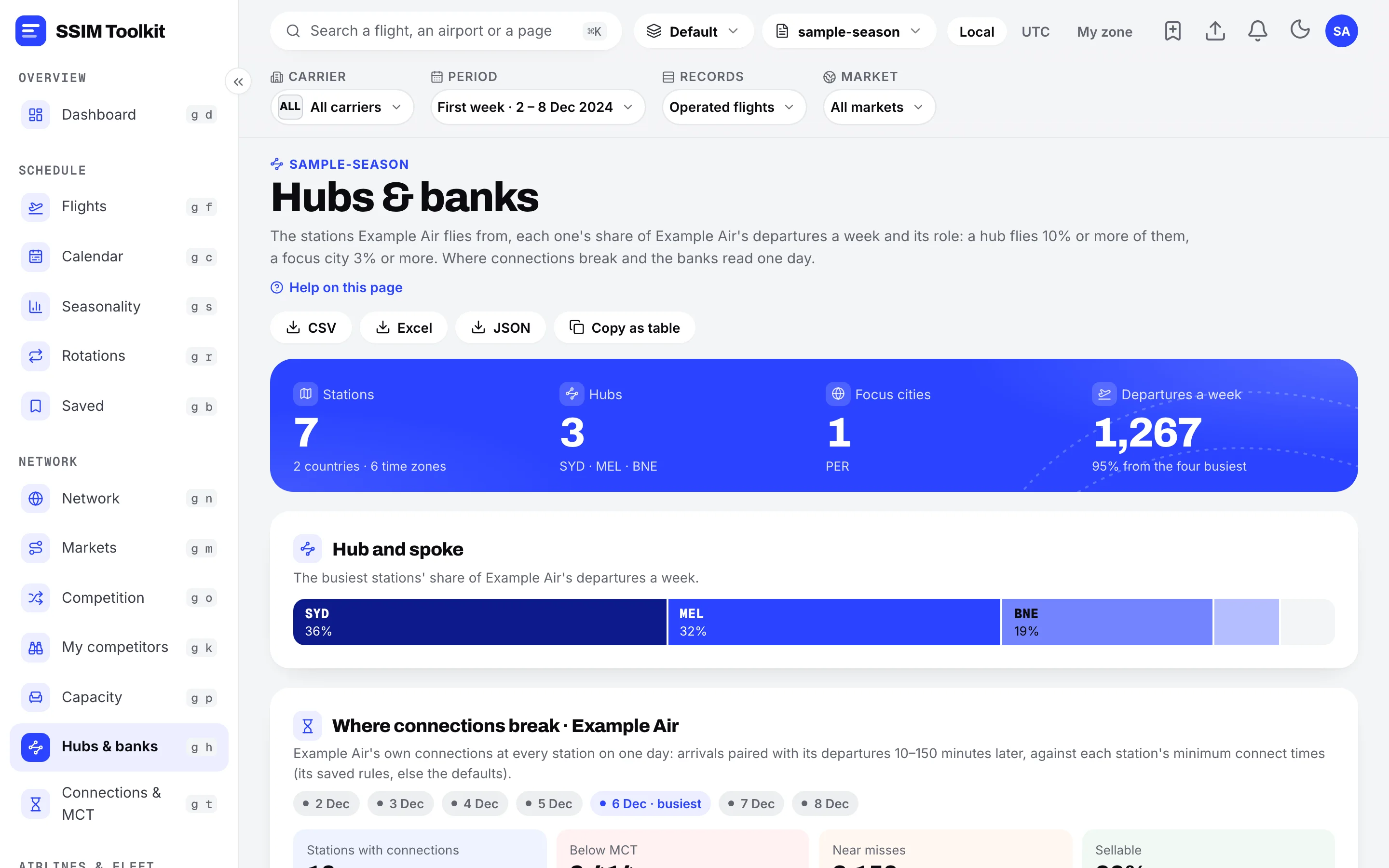
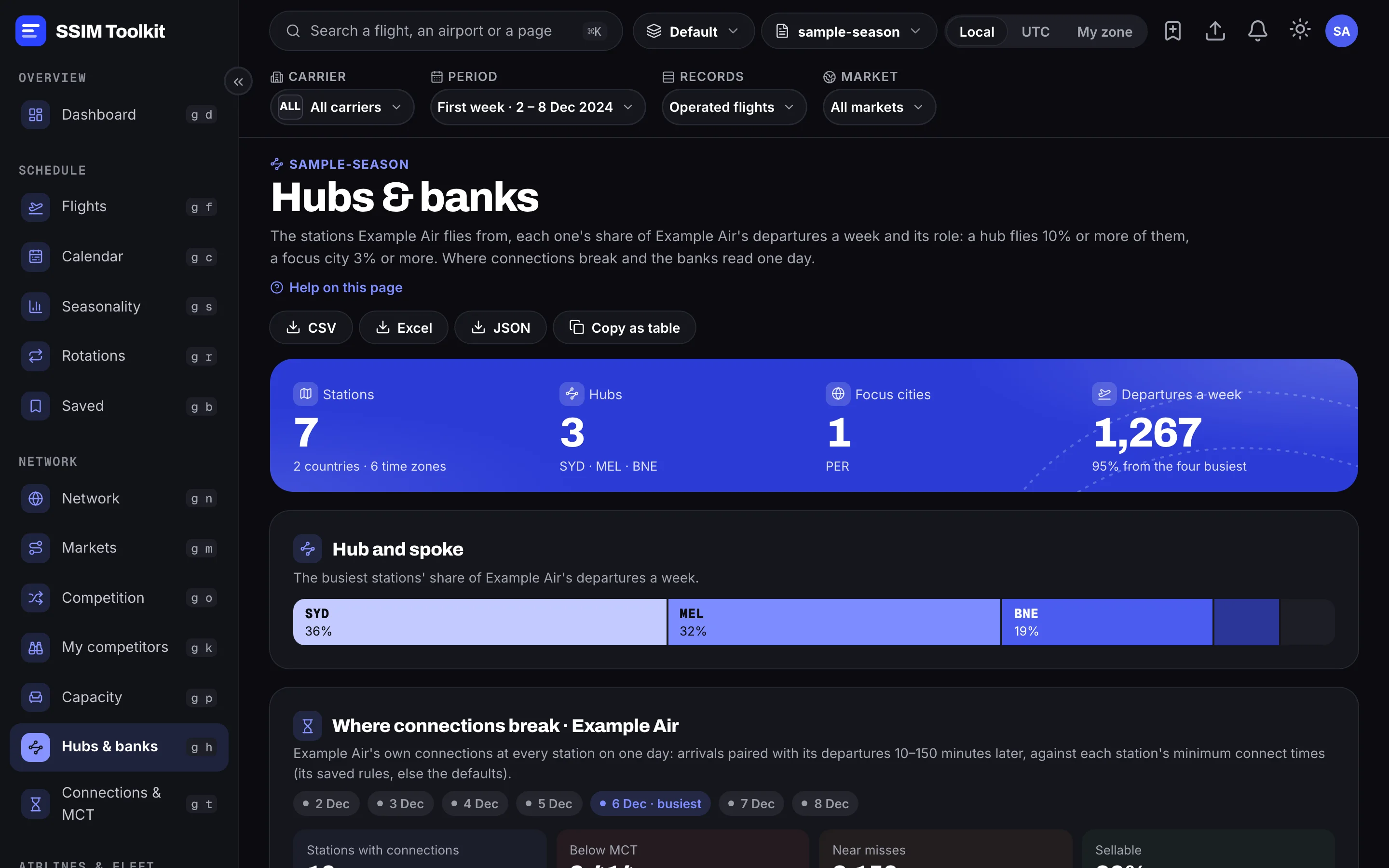
A station's role, its connecting banks, and where connections break against the minimum connecting time.
Every aircraft followed through its day, flight after flight.
Two versions side by side: flights added, removed and retimed, and how capacity moved.
Every finding against the IATA SSIM standard, with the record and field it points at.
Your own questions of the schedule in read-only SQL, with results you can export.
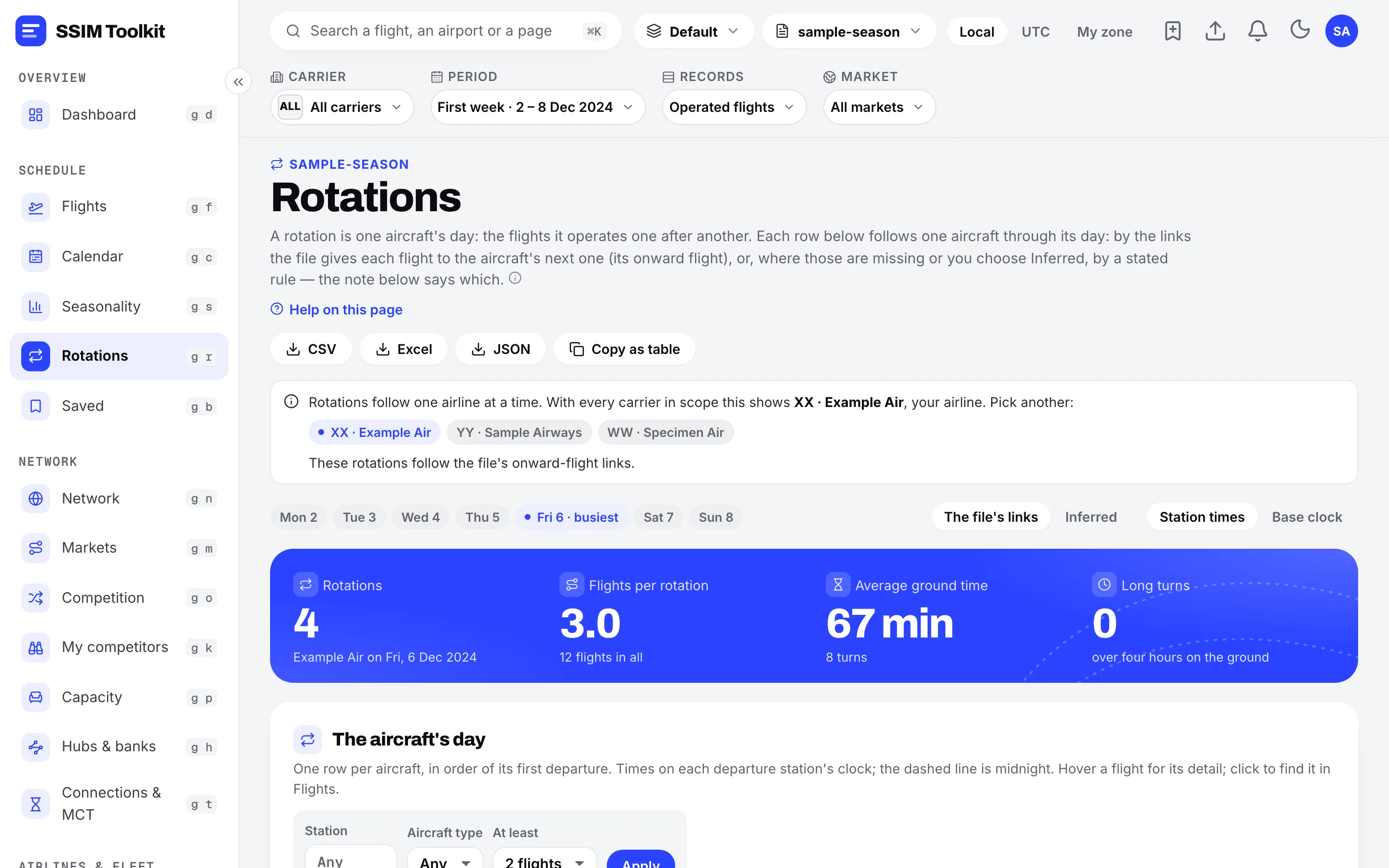
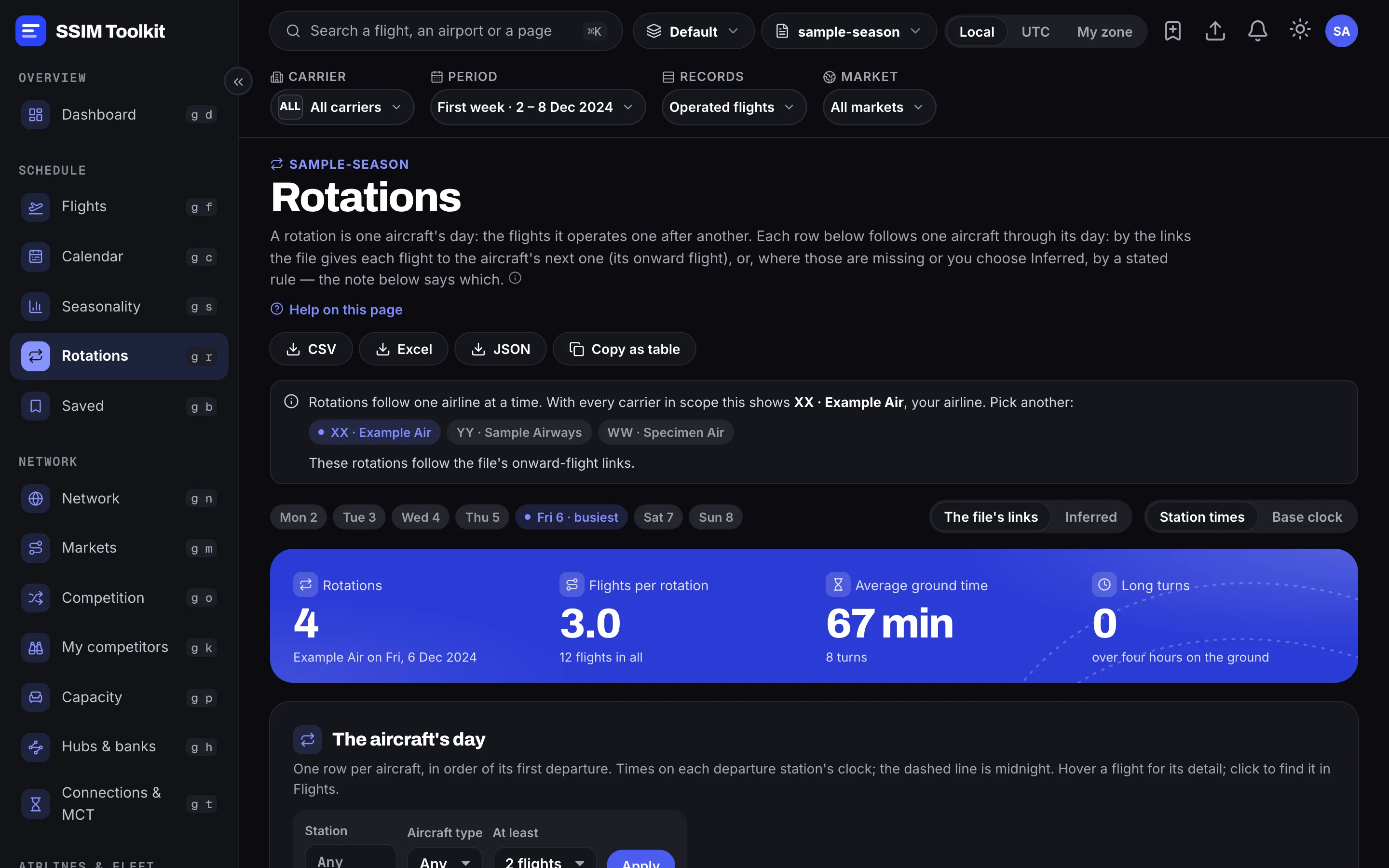
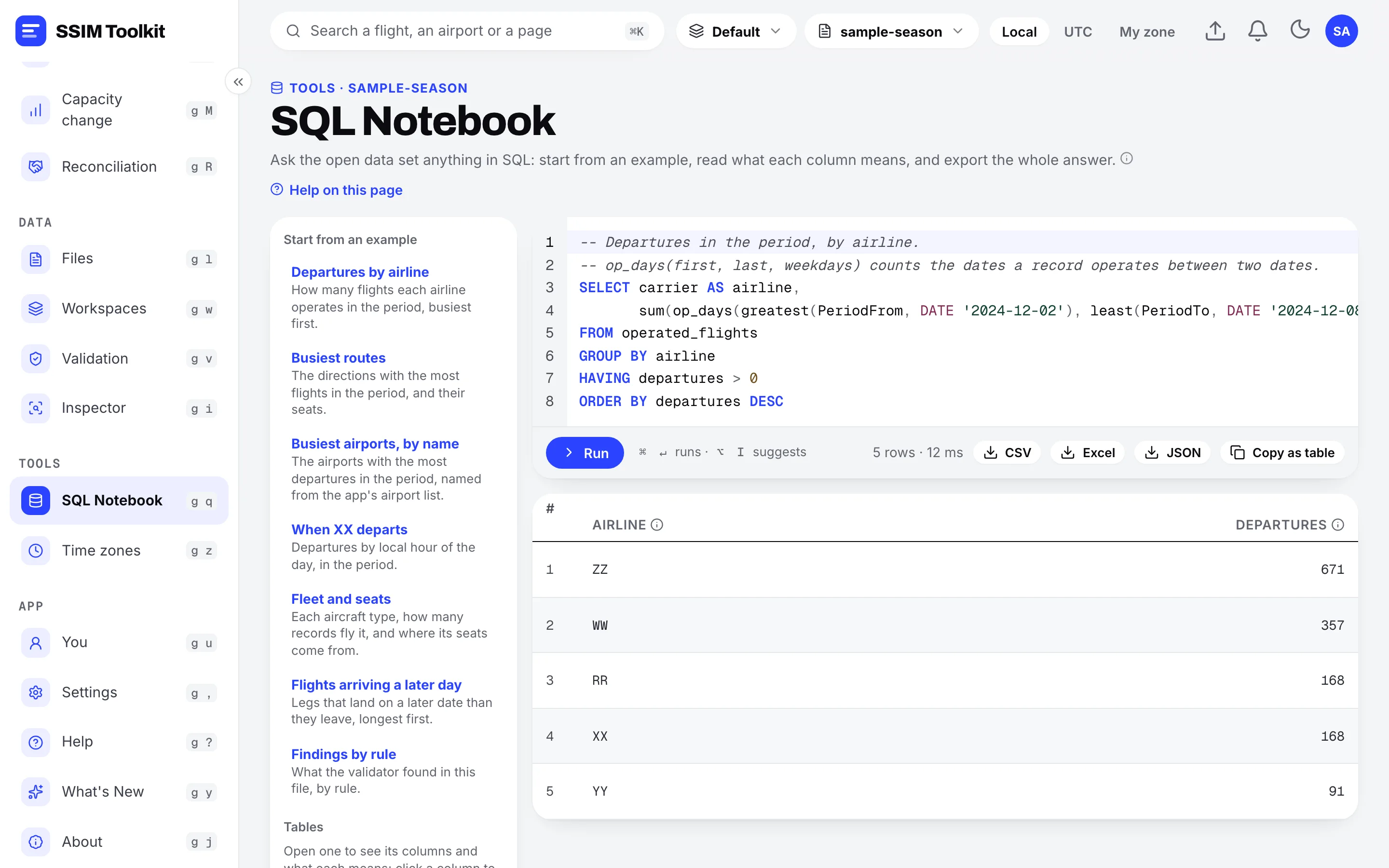
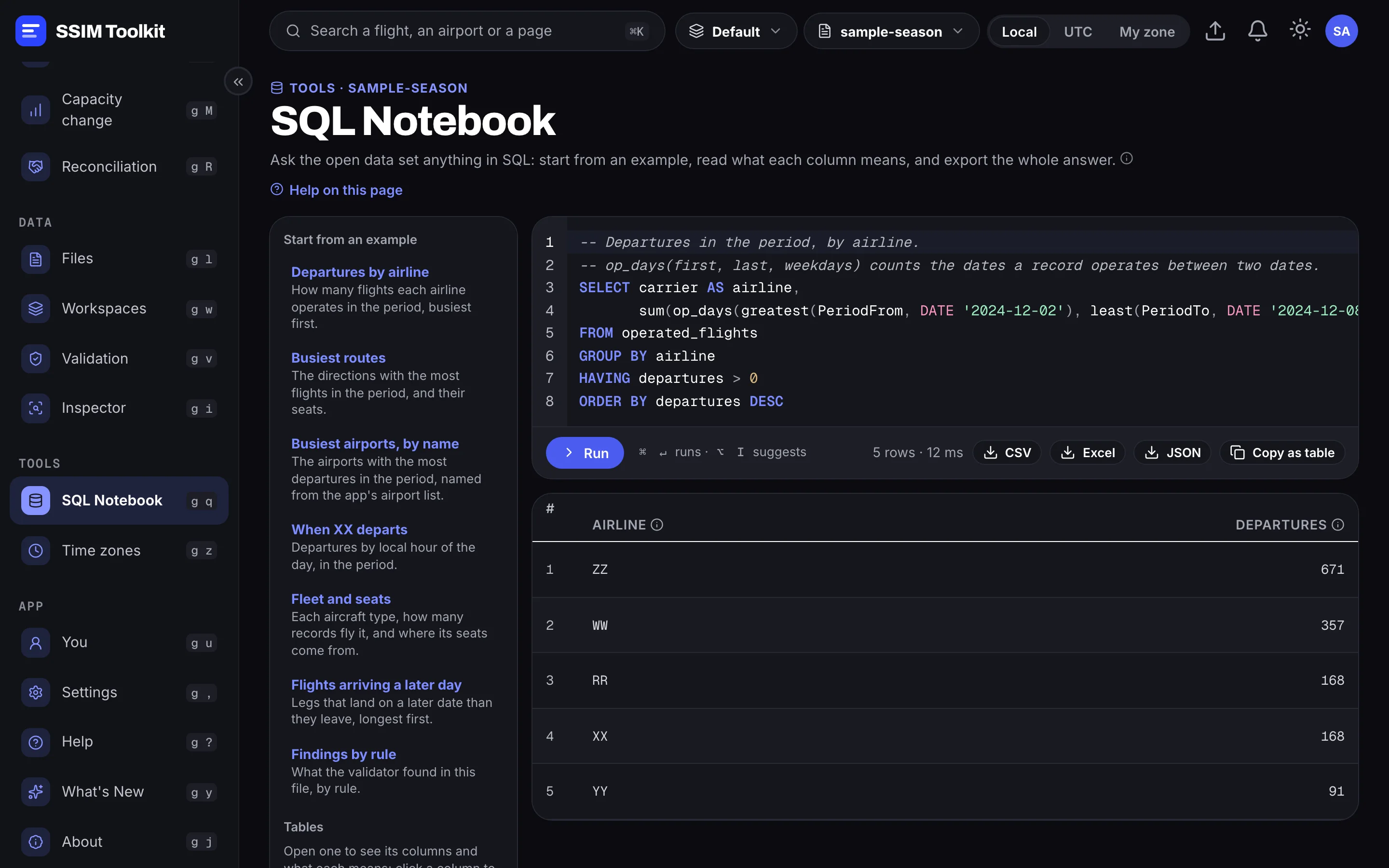
Real screens from SSIM Toolkit 0.4 — a sample schedule, with invented airlines.
Who flies every market, their shares of seats and departures, and how each week is built.
Connecting waves, connections against the minimum connecting time, and what a retime would break.
Each airline's network, fleet and partners; every aircraft followed through its day.
Flights added, removed and retimed between two versions, and how capacity moved.
Every flight-date, searchable, with the season laid out week by week.
Every finding against the SSIM standard, with the record and field it points at.
Ask your own questions of the schedule in read-only SQL, and keep the answers.
Every table as Excel, CSV or JSON — the same rows the page shows; a whole data set as Parquet.
Exports & SQL Notebook
Every table leaves as a file, holding the same rows the page shows. When a page doesn't ask your question, the SQL Notebook does — read-only, over every record.
Private by design
Files are read and analysed on your own computer, and never uploaded. How we handle security.
On every page
The period, the airlines, the clock and the records a page counts — set once at the top, kept as you move around.
Tell the app which airline you work for, and pages lead with it: its markets, its rivals, its hubs.
Read every time in each airport's local time, in UTC, or in your own time zone.
Save a page as you set it up, keep notes on flights and markets, and keep separate work apart in workspaces.
Reading a file, comparing files and large exports show each step as they go, with a Stop button.
Every data element keeps its name from the standard, with a plain-language line underneath.
Said plainly
Questions
SSIM — the Standard Schedules Information Manual — is the IATA standard airlines use to exchange schedules. A file lists every flight leg of a season: who operates it, between which airports, on which days, at what times, on what aircraft. SSIM Toolkit reads it in full.
No. Files are read and analysed on your machine, and your schedules are never uploaded.
From the standard's rules, applied to every record. The same file gives the same answer every time, and every figure traces back to the records it came from — ask the same question in the SQL Notebook to check one.
macOS (Apple Silicon) and Windows 10 or 11 (64-bit).
It's free during the Early Access Preview. After that, plans are priced per seat per month, every plan starts with a 30-day free trial, and paying yearly gets one month free.
Free during the Early Access Preview, on macOS and Windows.