


Hub or point-to-point? What the schedule tells you
A carrier's network philosophy is written into its schedule — in the banks at its airports, the degree of its stations, and the shape of its route graph. Here's how to read it.
A schedule is a list of flights; an operation is a set of aircraft each flying a connected sequence. Turning one into the other — building rotations and checking they're physically possible — is where the schedule meets reality.
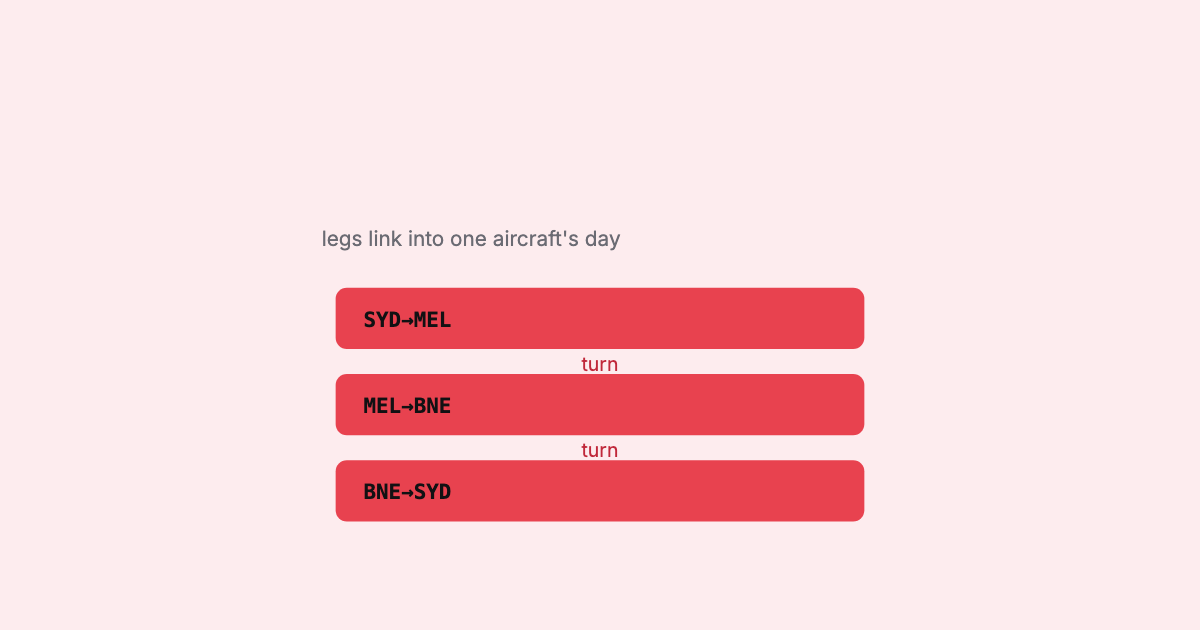
Open a schedule file and you see a list of flights. Watch an airport and you see something different: individual aircraft, each flying a connected chain of legs through the day, turning around between them. Bridging those two views — turning a flat list of legs into rotations — is one of the most useful things you can do with schedule data, and one of the easiest to get subtly wrong.
A rotation is the ordered sequence of legs a single aircraft flies: it lands somewhere, turns around, and its next leg departs from that same station. Chain those and you get an aircraft’s day.
Leg 1  SYD → MEL   0600–0730
Leg 2  MEL → BNE   0815–0945      ← departs where Leg 1 arrived, after a turn
Leg 3  BNE → SYD   1030–1245
= one aircraft's rotation
The linking rule sounds simple — next leg departs from this leg’s arrival station — but making it correct means respecting a few things at once: station continuity, the time and day handling so an overnight turn isn’t misread, and the minimum ground time needed to actually turn the aircraft.
Two related but distinct questions:
Even without tail numbers, the rotation view is enormously useful: it’s how a planner sees whether a day actually flows, and it’s the frame in which the killer conflicts show up.
Rotations are exactly where the deconfliction problems live. A schedule can look perfect leg-by-leg and still be impossible once you build the rotation:
None of these are visible in a flat list. They only appear when you reason across the sequence — which is the whole point of building the rotation.
A schedule tells you the flights. The rotation tells you whether an aircraft can actually fly them.
Building rotations means linking legs by station and time, respecting minimum ground times and the day/DST handling, and surfacing the sequences that can’t physically work — deterministically, across the whole schedule. That rotation-and-deconfliction view is one of the core things SSIM Toolkit is built to give you: not just the flights, but the days they imply, and the ones that don’t add up.
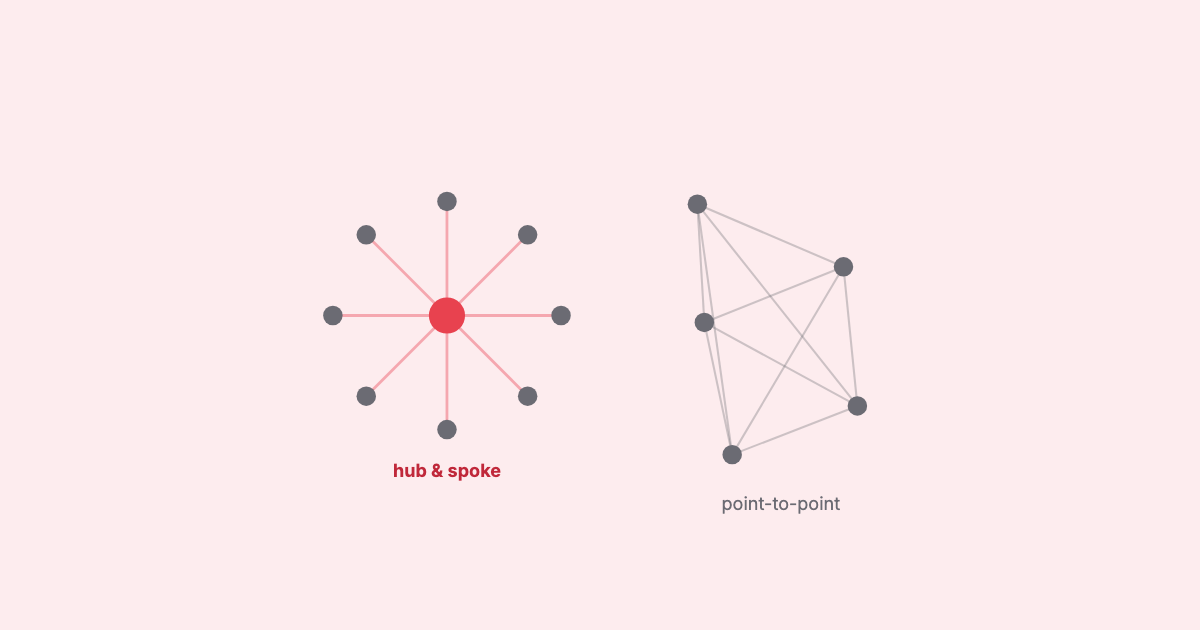
A carrier's network philosophy is written into its schedule — in the banks at its airports, the degree of its stations, and the shape of its route graph. Here's how to read it.
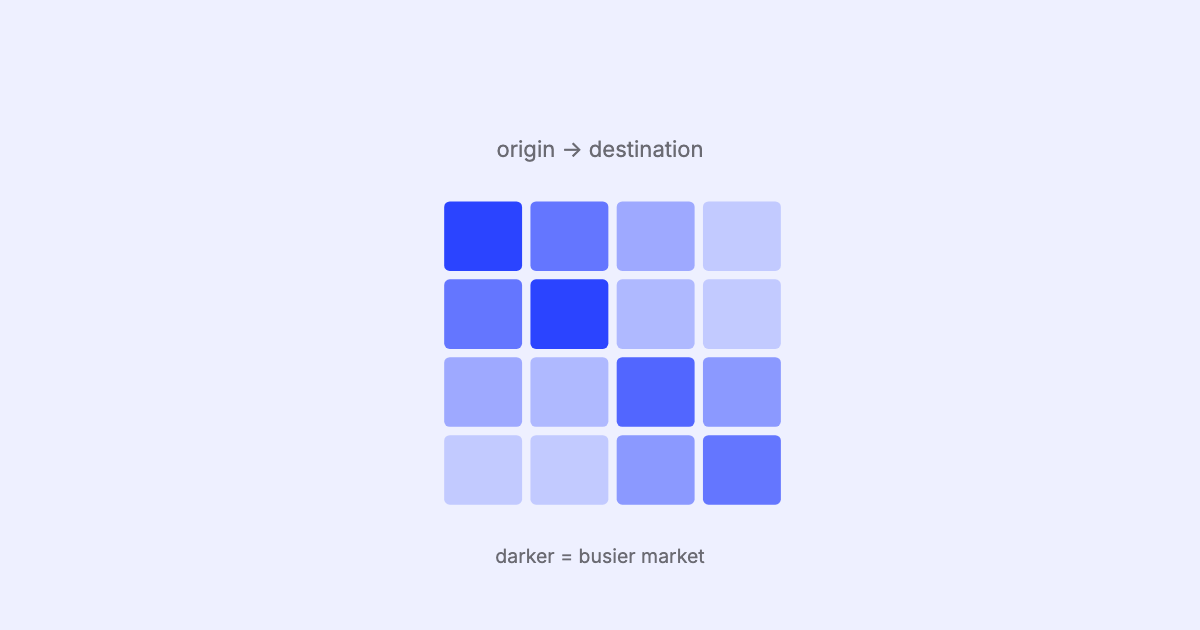
An origin–destination matrix turns a wall of flight legs into a picture of where a network flows. Here's how to read one built from a schedule — and, just as importantly, what it can and can't tell you.
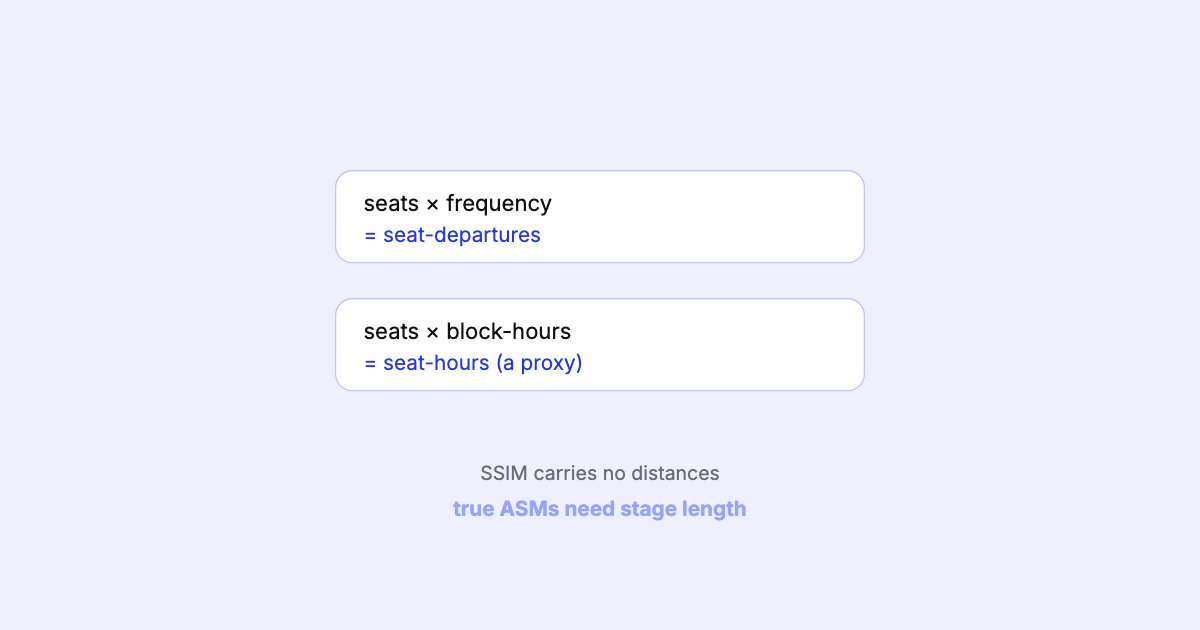
SSIM carries seats and times but no stage lengths, so you can't compute true available seat-miles from the file alone. Here's what you can honestly measure — and where the proxy ends.