


SSIM service type codes: what J, C, F and P mean
The one-letter service type on every SSIM flight leg says what kind of flight it is. What the codes mean, how to group them, and the traps when filtering.
SSIM is how the airline industry exchanges its schedules — a fixed-width, 200-byte text format that's deceptively simple and genuinely hard to get right. Here's what it is and why it matters.
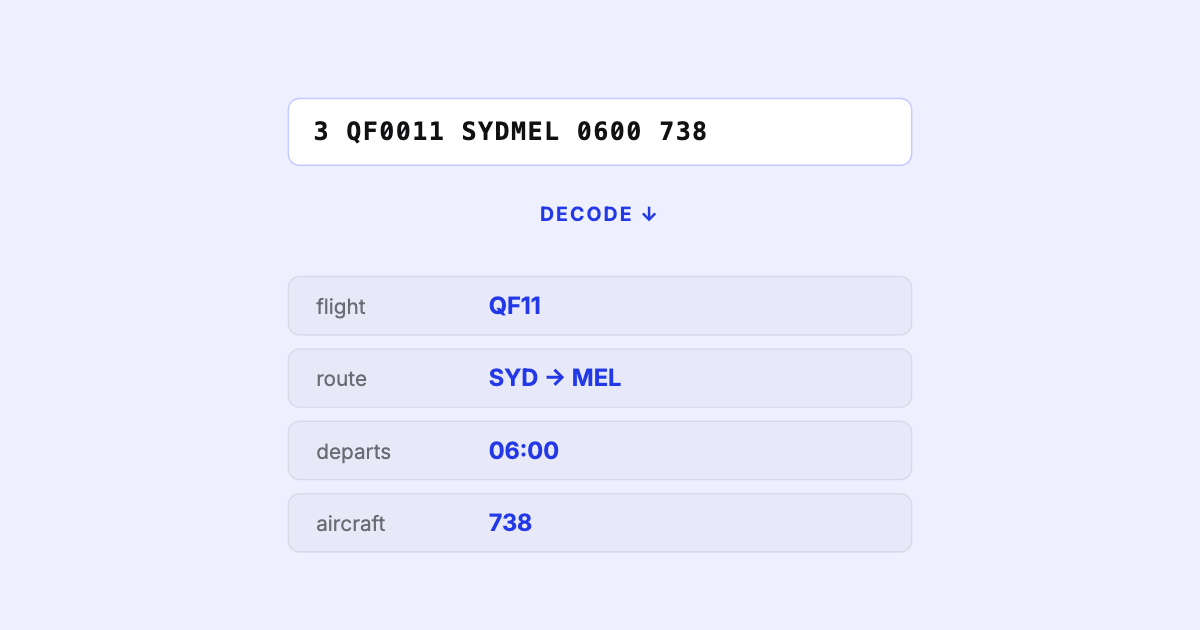
If you work anywhere near airline schedules, you’ve met SSIM — even if nobody explained it to you. It’s the file that lands in your inbox, the feed your systems ingest, the thing an engineer is quietly cursing at on any given Tuesday. This is the plain-English version: what SSIM is, what’s inside it, and why a format this old and this simple is still surprisingly hard to handle well.
SSIM is the IATA Standard Schedules Information Manual — and, by extension, the file format that manual defines for exchanging airline schedules between systems. When an airline publishes its schedule to airports, ground handlers, GDSs, online travel agencies, slot coordinators, or its own downstream tools, it almost always does so as an SSIM file. It is the lingua franca of “who flies where, when.”
Here’s the part that surprises people who expect a modern data format. SSIM Chapter 7 — the schedule-data chapter — is a fixed-width, 200-character flat file. No commas, no JSON, no column headers. Meaning is carried entirely by position: character 1 tells you the record type, and every field after it lives at a byte offset the spec nails down exactly.
A flight-leg line reads, to the untrained eye, like this:
3 QF 0011 01APR26 25OCT26 1234567 SYDMEL 0600 0730 738 ...
│ │    │      │        │      │      │     │    │    │
│ │    │      │        │      │      │     │    │    └─ equipment (aircraft type)
│ │    │      │        │      │      │     │    └────── arrival time (local)
│ │    │      │        │      │      │     └─────────── departure time (local)
│ │    │      │        │      │      └───────────────── board/off airports
│ │    │      │        │      └──────────────────────── days of operation (1=Mon…7=Sun)
│ │    │      │        └─────────────────────────────── period end date
│ │    │      └──────────────────────────────────────── period start date
│ │    └─────────────────────────────────────────────── flight number
│ └──────────────────────────────────────────────────── airline designator
└────────────────────────────────────────────────────── record type (3 = flight leg)
(Illustrative and simplified — real records are exactly 200 bytes with more fields at fixed positions.) The whole industry runs on the idea that everyone agrees, to the character, where each value sits.
A schedule file is a small set of record types stacked in order:
| Record | Purpose |
|---|---|
| Type 1 | Header record — the file title / general header, one per file |
| Type 2 | Carrier record — airline designator, the season’s validity dates, time mode, creation date, status |
| Type 3 | Flight leg record — the workhorse: flight number, city pair, days of operation, times, aircraft |
| Type 4 | Segment data record — extra detail per segment: codeshares, traffic restrictions, service info |
| Type 5 | Trailer record — the end marker, with counts to check the file arrived intact |
Read the header and carrier records, stream the flight legs, attach the segment data, verify against the trailer, and you have a schedule. We go field by field through these in a companion post on the record types.
If SSIM is just fixed-width text, why does every schedule team eventually have a war story about it? A few reasons.
SSIM is easy to read and hard to read correctly. The gap between those two is where teams lose weeks.
This isn’t a museum piece. The industry is flying at record load factors on thin margins, and a multi-year aircraft backlog means schedules are rebuilt far more often than they used to be. Every one of those rebuilds is an SSIM file that somebody has to read, validate, compare against the last version, and trust. The format sits underneath the whole planning stack — get it wrong and everything above it inherits the error.
The reason we built SSIM Toolkit is exactly this gap: reading SSIM correctly — fast, faithful to the real-world conventions, and entirely on your own machine — shouldn’t require a home-grown parser and a folder full of edge-case fixes. Get the foundation right and every workflow on top of it, from validation to analysis to export, gets easier.
In the next post, we open up the record types and read a file end to end.
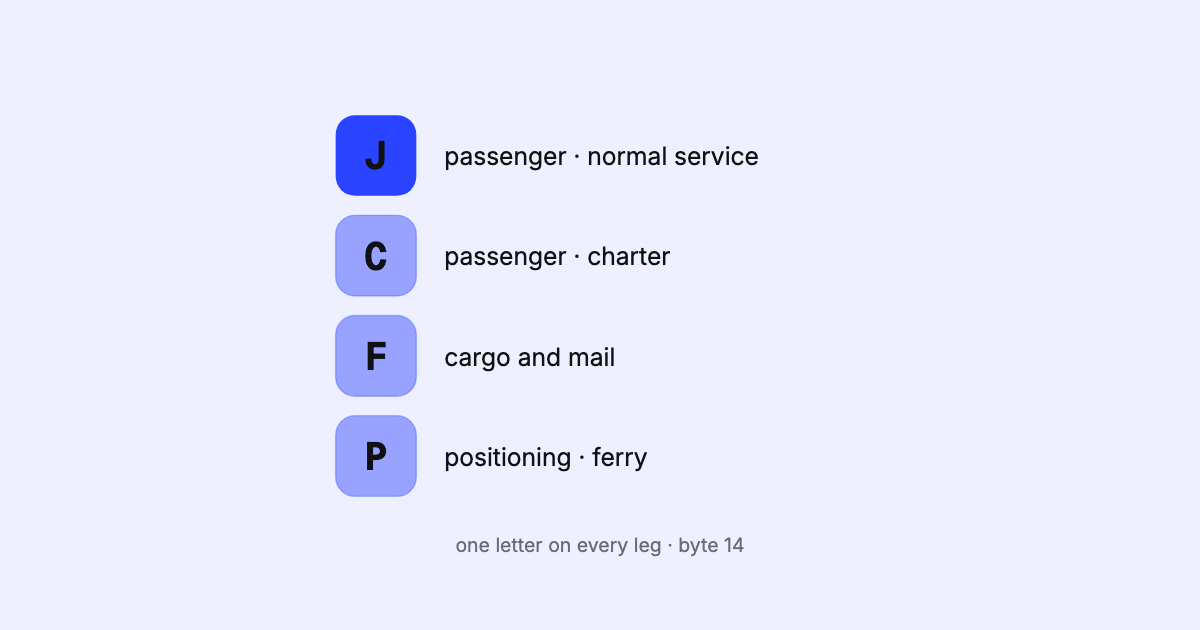
The one-letter service type on every SSIM flight leg says what kind of flight it is. What the codes mean, how to group them, and the traps when filtering.

A field-level walk through the SSIM record types — header, carrier, flight leg, segment data, and trailer — with a sample file, the fields that matter, and the gotchas that bite parsers.
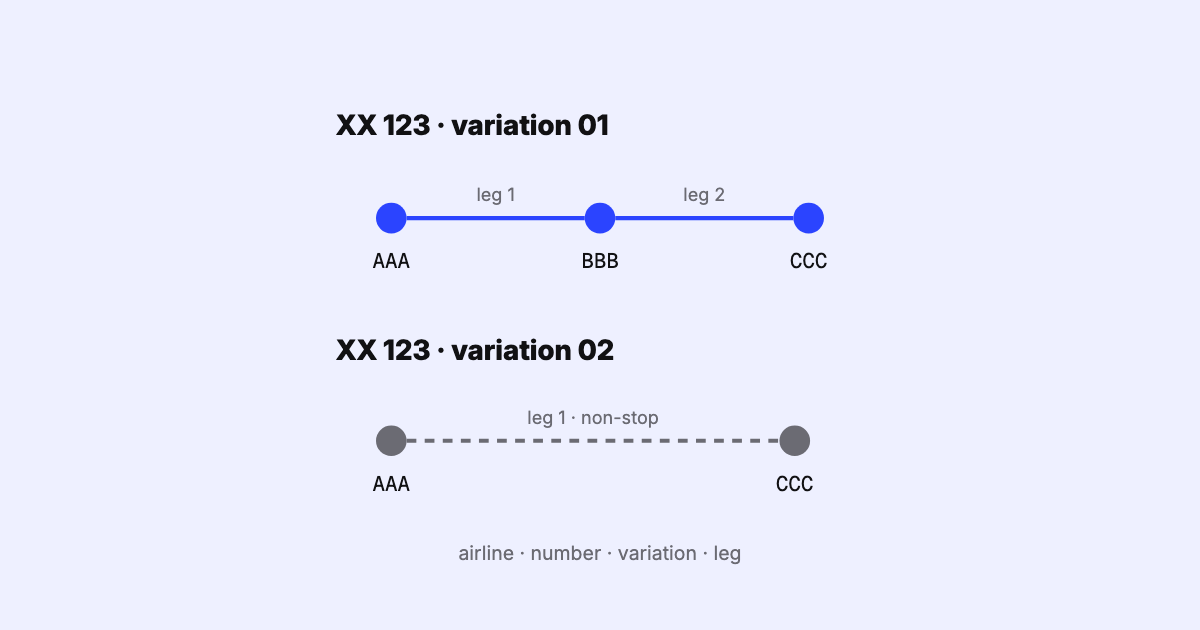
How SSIM names a flight leg: airline, flight number, itinerary variation and leg sequence. How variations are numbered, the overflow byte, and multi-leg dates.