


SSIM service type codes: what J, C, F and P mean
The one-letter service type on every SSIM flight leg says what kind of flight it is. What the codes mean, how to group them, and the traps when filtering.
A field-level walk through the SSIM record types — header, carrier, flight leg, segment data, and trailer — with a sample file, the fields that matter, and the gotchas that bite parsers.
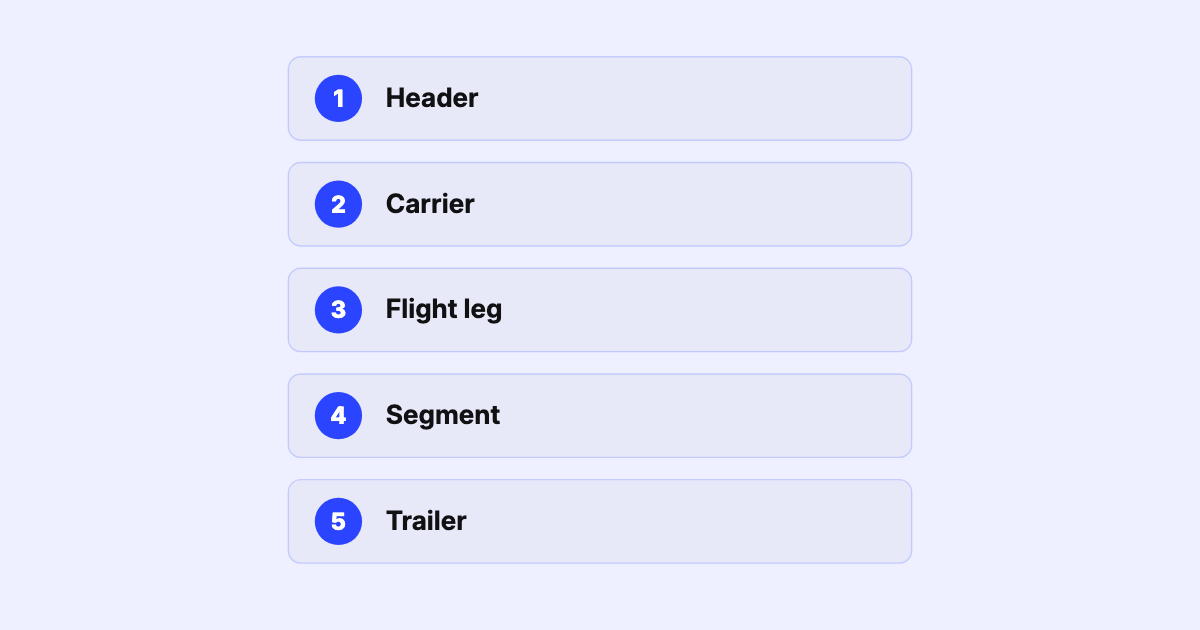
In the intro to SSIM we said a schedule file is a small set of record types stacked in order. This post opens them up. By the end you’ll be able to look at a raw SSIM file and know what every line is doing.
Chapter 7 defines a fixed-width, 200-byte file built from five record types. The first character of every line is the record type; everything else hangs off that.
Here’s the record sequence of a small file — schematic, showing the record type followed by a plain-English gloss of each line (each real line is exactly 200 fixed-width characters):
1  Header    file title / general header
2  Carrier   QF · northern summer 2026 · time mode = Local
3  Leg       QF0011 · SYD→MEL · 01APR26–25OCT26 · daily · 0600/0730 · 738
4  Segment   QF0011 · codeshare AA1234 · traffic restriction
3  Leg       QF0012 · MEL→SYD · 01APR26–25OCT26 · daily · 0815/0945 · 738
5  Trailer   serial-number check reference (integrity check)
Read it as a story: the header (1) opens the file and the carrier record (2) says this is Qantas, northern summer 2026 season, times in local. Each flight leg (3) is one physical hop — QF11 SYD→MEL, 06:00–07:30, on a 737-800. Segment data (4) hangs off the leg it follows: the codeshare partner, traffic restrictions, and other Data Element Identifiers (DEIs). The trailer (5) closes the file with a serial-number check reference — the serial number of the record just before it — that you can verify against what you parsed.
This is the record you’ll spend the most time with. The high-value fields:
| Field | What it tells you |
|---|---|
| Airline designator + flight number | Which flight this is |
| Period start / end | The date range the row is valid for |
| Days of operation | Which weekdays it runs (1 = Mon … 7 = Sun; blanks mean “not that day”) |
| Board / off point | The city pair for this leg |
| Departure / arrival time | Scheduled times, in the file’s time mode (local or UTC) |
| Aircraft type | The equipment (e.g. 738, 32N, 789) |
The subtle part is that a single type-3 line isn’t one flight — it’s a pattern. “QF11, Mon–Sun, 01 Apr–25 Oct” expands into every operating date in that window. Getting that expansion exactly right — including season edges and days-of-week — is one of the most common places parsers quietly disagree.
Where the flight leg says how the aircraft moves, the segment record says what can be sold and how it’s coded. It carries DEIs: codeshare designators, traffic restrictions (which markets can be sold on a multi-leg service), meal and product codes, and more. Miss these and a schedule looks complete but is commercially wrong — you’d show a flight as sellable in a market it can’t actually carry.
Reading SSIM isn’t hard because the fields are complex. It’s hard because a hundred small conventions all have to be right at once, and the format won’t tell you when one isn’t.
This is precisely the work SSIM Toolkit is built to take off your plate: parse every record type faithfully, expand the operating dates correctly, keep the segment data attached to the right leg, and check the whole thing against the trailer — locally, in seconds, on real airline-sized files. The record types stop being a parsing project and go back to being what they are: your schedule.
Next in the series: Minimum Connect Time — the single hardest number in scheduling.
Sources
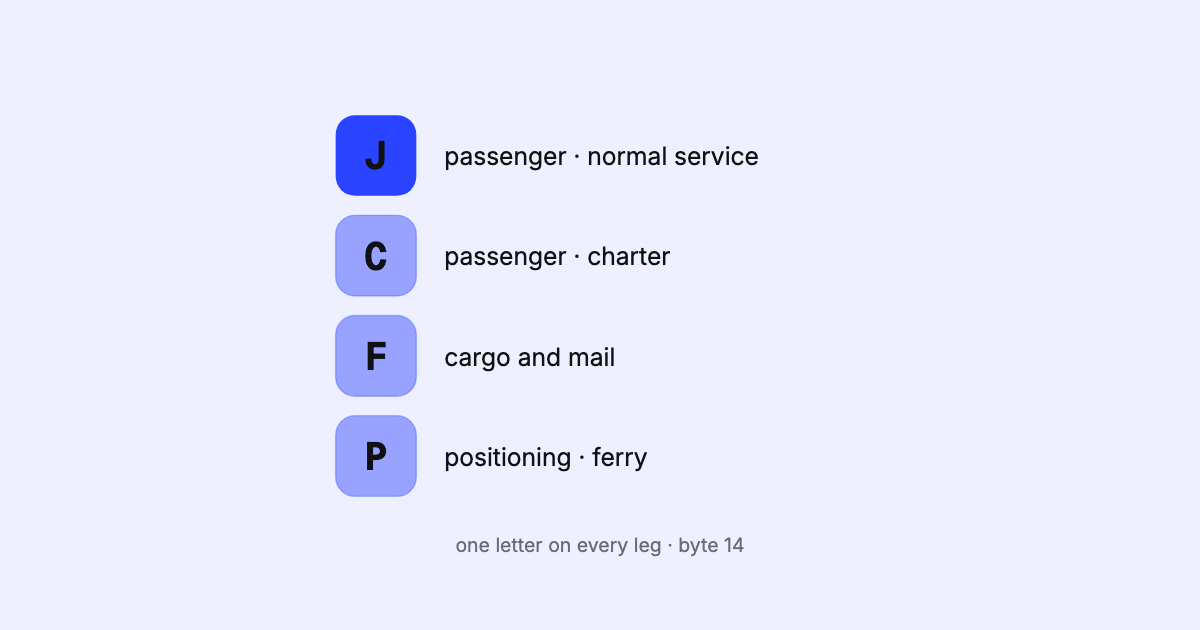
The one-letter service type on every SSIM flight leg says what kind of flight it is. What the codes mean, how to group them, and the traps when filtering.
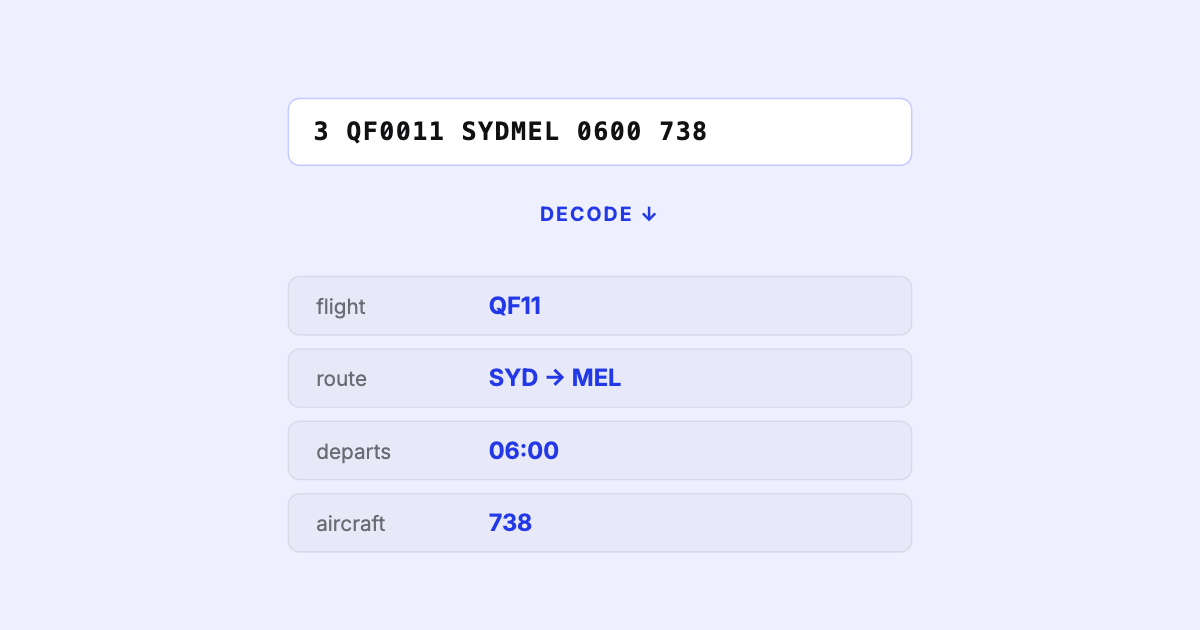
SSIM is how the airline industry exchanges its schedules — a fixed-width, 200-byte text format that's deceptively simple and genuinely hard to get right. Here's what it is and why it matters.
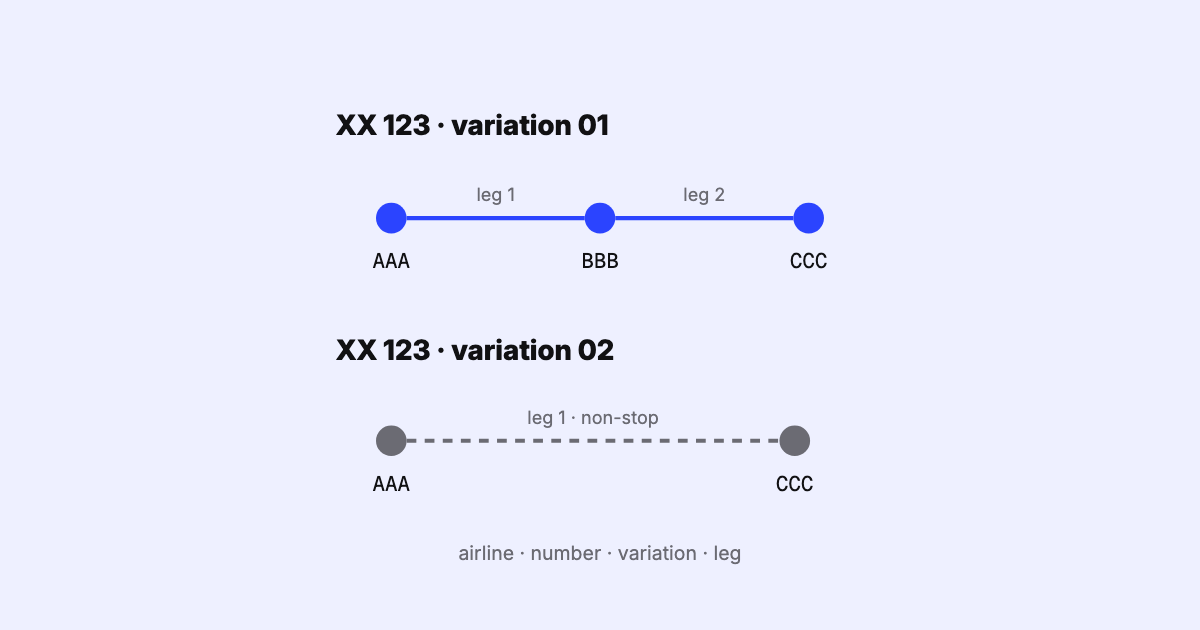
How SSIM names a flight leg: airline, flight number, itinerary variation and leg sequence. How variations are numbered, the overflow byte, and multi-leg dates.