


Why counting flights and seats from SSIM is harder than it looks
Weekly frequencies and seats are the first figures anyone wants from a schedule — and the ones most often wrong. The traps behind the numbers, and why they matter.
SSIM doesn't hand you a seat count. It hands you an aircraft configuration string describing each cabin compartment and its seats — and you derive the capacity from that. Here's how to read it, and why the equipment code isn't the same thing.
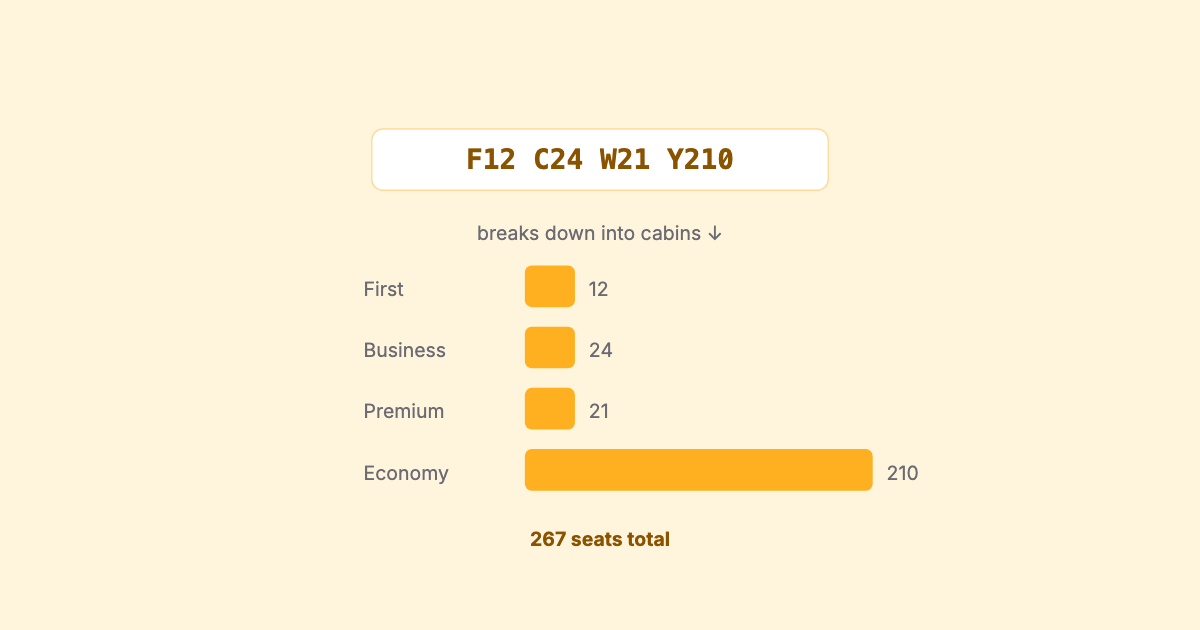
“How many seats is this flight?” sounds like a lookup. It isn’t. Ask SSIM and you don’t get a number back — you get a short coded string describing the cabin layout, from which you derive the seat count yourself. Read the string wrong, or confuse it with the aircraft type code sitting a few fields away, and every capacity number downstream inherits the mistake.
A flight-leg record carries two things that people routinely conflate:
738, 320, 77W, and so on. This tells
you what kind of aircraft operates the leg. It’s an IATA three-character code, and we
cover it in detail in equipment codes. What it does
not tell you is how many seats are on board.The distinction matters because the same aircraft type flies with wildly different
seat counts. A 787 in a three-class long-haul layout and a 787 packed for high-density
leisure are both 789; only the configuration string separates them. Read only the type
code and you’ve answered “what plane,” not “how many seats.”
The equipment code is the airframe. The configuration is the cabin. Capacity lives in the second one.
The configuration string is a compact list of compartments. Each entry pairs a class-of-service letter with the number of seats in that compartment. Concatenate the compartments and you get the whole cabin.
F12C24W30Y200
│  │   │   └──── Economy:   200
│  │   └──────── Premium:    30
│  └──────────── Business:   24
└─────────────── First:      12
                              ───
                Total seats:  266
The letters are the familiar cabin classes — broadly First, Business, Premium economy, Economy — and the digits after each are that compartment’s seat count. Sum the seat counts and you have the total seating capacity of the leg: here, 266.
That derived total is the number most analysis actually wants. Capacity per market, seat-departures, load-oriented rollups — they all start from summing the compartments in this string, not from a lookup on the equipment code.
A few realities keep this from being a clean regex exercise:
The configuration string gives you cabin capacity — how many seats in First, Business, and so on. Sitting beneath that is a finer booking-class layout: the ordered list of booking (reservation) designators the flight sells, which is a different and more granular slicing of the cabin than the compartment totals.
For most capacity work — “how many seats does this market get a week” — the cabin compartments from the configuration are what you need. The booking-class layer matters when you get into per-class service and inventory detail. The two are related but not the same, and it’s worth keeping them straight: capacity comes from the configuration’s compartments; the booking classes are a separate, finer dimension.
Every capacity and frequency number leans on this one derivation. If the seat count is wrong — because the type code got used as a proxy, or non-seat codes got summed, or a missing configuration was read as zero — then market capacity, seat-departures, and any per-route seat totals are all wrong by the same amount, invisibly. It’s the classic data-quality failure: nothing errors, the numbers just quietly don’t match reality.
The rule of thumb is simple. Don’t ask the equipment code how many seats there are. Ask the configuration, sum the seat-bearing compartments, and keep “unknown” as a first-class answer when the string won’t support one.
This is exactly what SSIM Toolkit does: it reads the aircraft configuration on each leg, sums the cabin compartments into a total seating capacity, keeps the equipment type code as the distinct thing it is, and leaves capacity honestly blank where a leg carries no usable configuration — so the capacity and frequency views are built on real seat counts, not on a stand-in. More on SSIM Toolkit.
Related reading: equipment codes for the type side of the picture, and record types for where both fields live in the file.
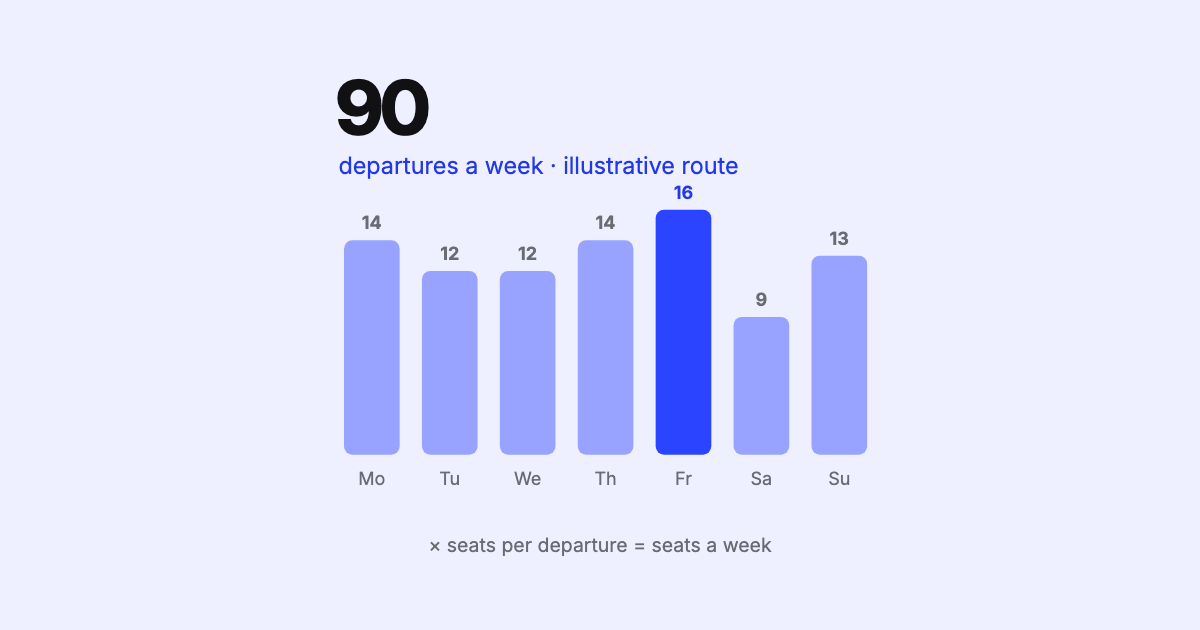
Weekly frequencies and seats are the first figures anyone wants from a schedule — and the ones most often wrong. The traps behind the numbers, and why they matter.
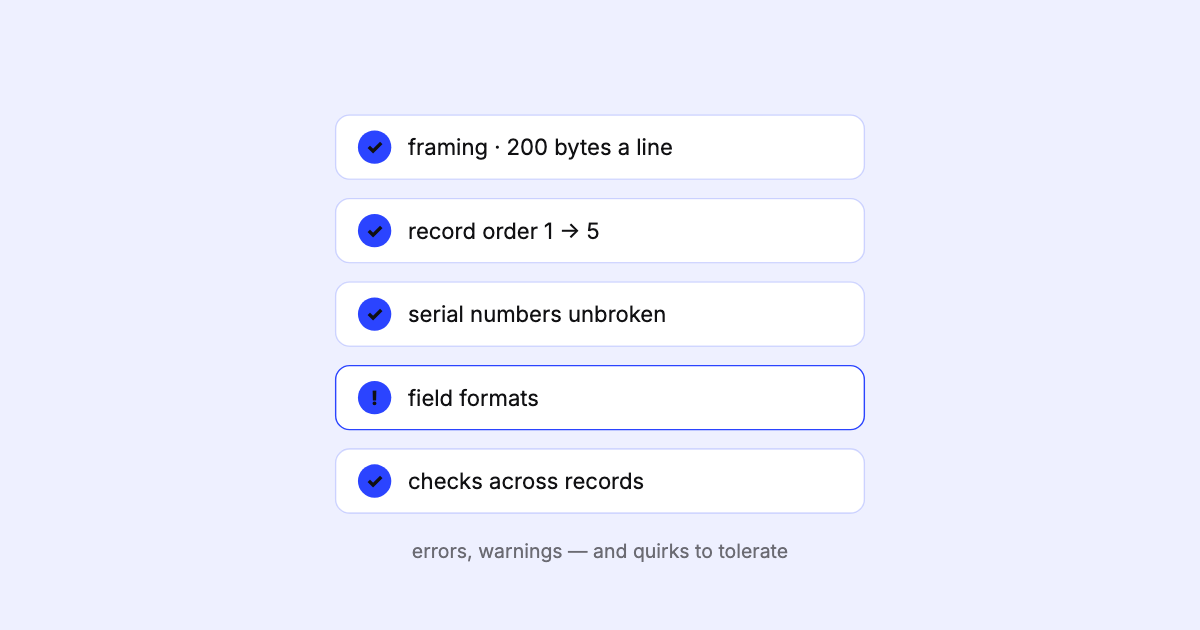
An SSIM schedule can be wrong without ever raising an error. What goes wrong in real files, what it costs downstream, and why validation has to come first.
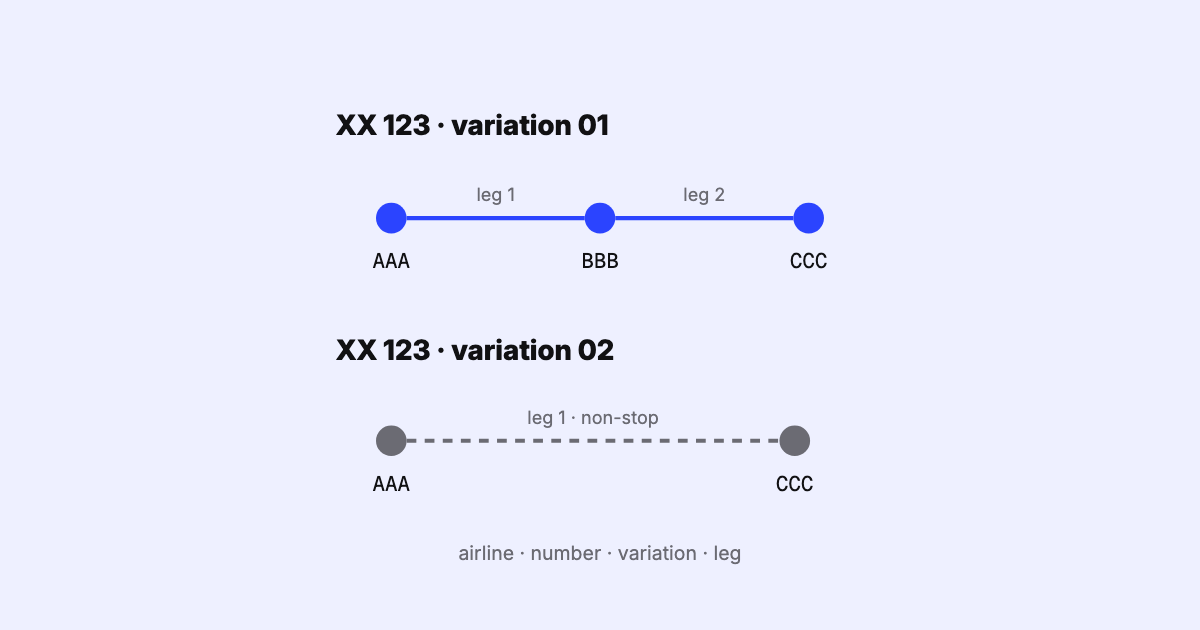
How SSIM names a flight leg: airline, flight number, itinerary variation and leg sequence. How variations are numbered, the overflow byte, and multi-leg dates.