


Why counting flights and seats from SSIM is harder than it looks
Weekly frequencies and seats are the first figures anyone wants from a schedule — and the ones most often wrong. The traps behind the numbers, and why they matter.
The flight-leg record says who, where, and when. The segment-data record (RT4) carries the extras — codeshares, aircraft configuration, meal service, traffic restrictions — per segment, keyed by Data Element Identifiers. A spec-level walk through what RT4 holds and why it matters.
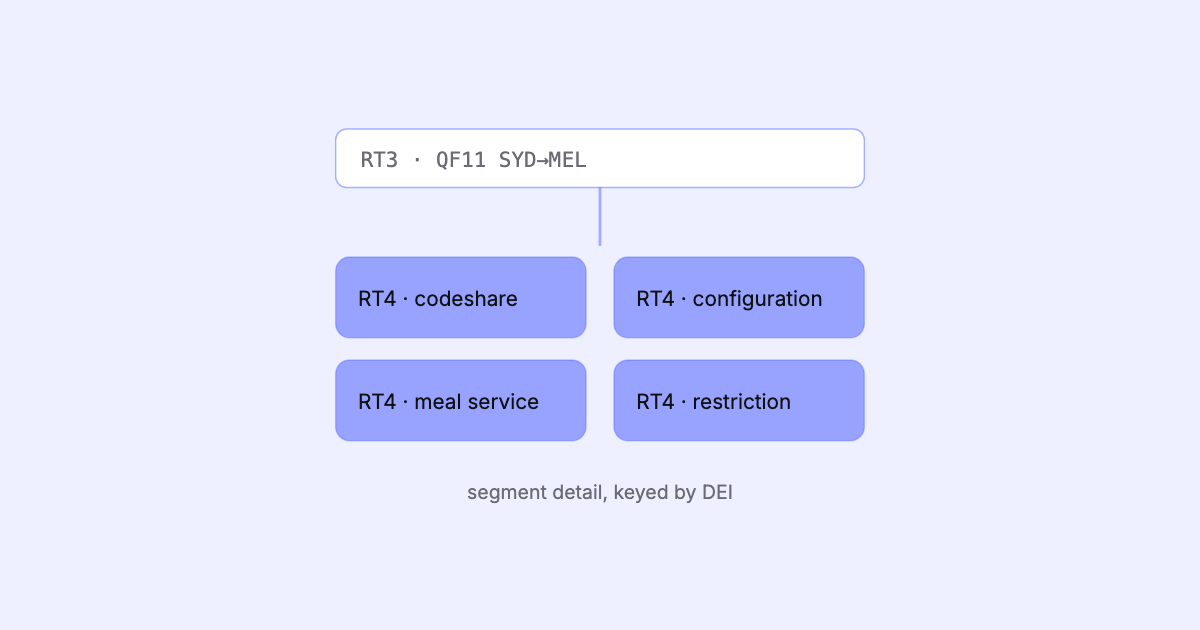
In the record-types walkthrough we met the five SSIM record types and gave the segment-data record a single line: it carries the extras. This post opens that record up. If the flight-leg record (RT3) is the sentence, the segment-data record (RT4) is the footnotes — and in SSIM, the footnotes are where a lot of the commercial truth lives.
A flight-leg record answers the operational questions: which flight, which city pair, which days, which times, which aircraft type. That’s enough to know how the aircraft moves through the network. It is not enough to know what can be sold on it and how it’s coded.
That’s the RT4 job. Where RT3 describes a physical hop, RT4 attaches per-segment detail to it — and a segment is not always the same thing as a leg.
So a single multi-leg flight number can have several segments, and RT4 records let the schedule say different things about each of them. That distinction is the reason RT4 exists as its own record type rather than more fields bolted onto RT3.
RT4 doesn’t carry a fixed grid of named columns. It carries Data Element Identifiers — DEIs — defined in SSIM Chapter 2. A DEI is a numeric key that says what kind of element follows, paired with the value. Chapter 2 is the catalogue of these element types; Chapter 7, the schedule-data chapter, is where RT4 records use them to hang per-segment detail off the legs.
Conceptually, an RT4 record reads as:
4  <flight/segment key>  <DEI>  <element data>
   │                     │      └─ the value for this element
   │                     └──────── which kind of element this is (Chapter 2)
   └────────────────────────────── which flight and which segment it applies to
(Schematic — a real RT4 line is a fixed-width 200-byte record with the key and element fields at defined offsets.)
This is a deliberately extensible design. Rather than reserve a column for every possible attribute a flight might carry, the standard defines a vocabulary of element types and lets a record attach whichever ones apply. A segment with nothing special to say has few or no RT4 records; a complex codeshared, multi-cabin international service may carry several.
Across the DEIs that appear in schedule data, the elements group into a few families. At the spec level, RT4 is where you find:
There are more element types than this, but the pattern holds: RT4 carries the attributes that turn a physical schedule into a commercial one.
| RT4 carries (per segment) | Answers the question |
|---|---|
| Codeshare / operating carrier | Who sells it, who flies it |
| Aircraft configuration | How the cabins are laid out |
| Booking-class layout | Which classes are sold, in what order |
| Meal service | What’s served, potentially per class |
| Traffic restrictions | Which markets may actually be sold |
The binding rule is positional and easy to get wrong: RT4 records attach to the flight leg they follow. They don’t name their leg redundantly; they sit after it in the file and inherit that context. Associate a segment record with the wrong leg — off by one, or misread across a leg boundary — and the codeshares, restrictions, and service codes scatter onto flights they don’t belong to.
The segment key within the RT4 record then narrows it further to the specific board/off market. So reading RT4 correctly is a two-step discipline: bind the record to the right leg, then resolve it to the right segment within that leg’s service.
RT3 is legible on its own. RT4 only makes sense in relation to the leg above it and the segments within it. Lose that relationship and the extras land on the wrong flights — quietly, because the format won’t warn you.
Because RT4 is an open, extensible vocabulary, it’s tempting to parse only the DEIs you happen to care about today and drop the rest. The standard’s design argues against it. An element that looks irrelevant to a network study is exactly the traffic restriction that determines whether a segment is sellable, or the configuration string that fixes its seat count. Elements you discard are gone; you can’t analyse what you didn’t keep.
Keeping every element, attached to the right leg and segment, is what lets a schedule be read as what it is — a complete commercial document — rather than a lossy summary of it. The raw form matters too: where deriving a value is lossy, holding the original element alongside the derived one preserves the ability to re-check it.
This is precisely the standard SSIM Toolkit is built to honour. It parses every record type — including the full RT4 segment-data layer — keeps each element bound to the correct leg and segment, decodes the Chapter 2 DEIs that appear in schedule data into typed values, and preserves the raw form where a derivation would otherwise lose information. The record inspector lets you look at any single record and see its decoded elements; the analysis surfaces — capacity by cabin, code-share, meal service by class — are built on those decoded RT4 elements rather than on the flight-leg record alone. All of it runs locally, on your own machine: your schedule data never leaves it.
RT4 is the quiet half of the schedule. Read it faithfully and a file stops being a list of flights and becomes a schedule you can actually reason about.
More on the local, deterministic approach is on the SSIM Toolkit product page.
Sources
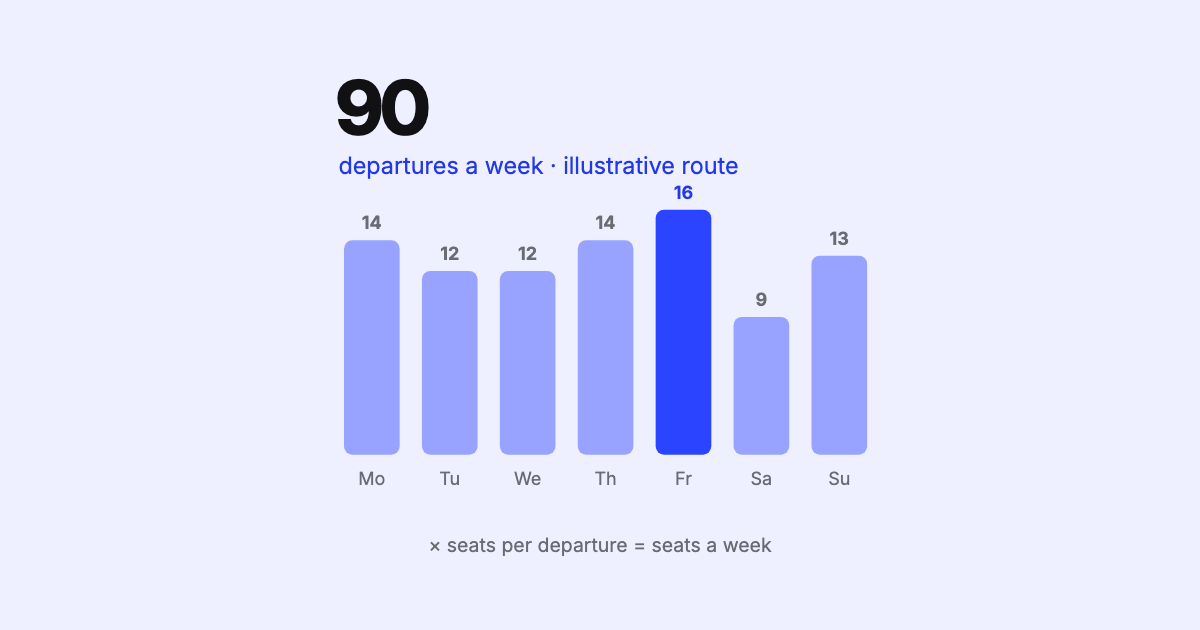
Weekly frequencies and seats are the first figures anyone wants from a schedule — and the ones most often wrong. The traps behind the numbers, and why they matter.
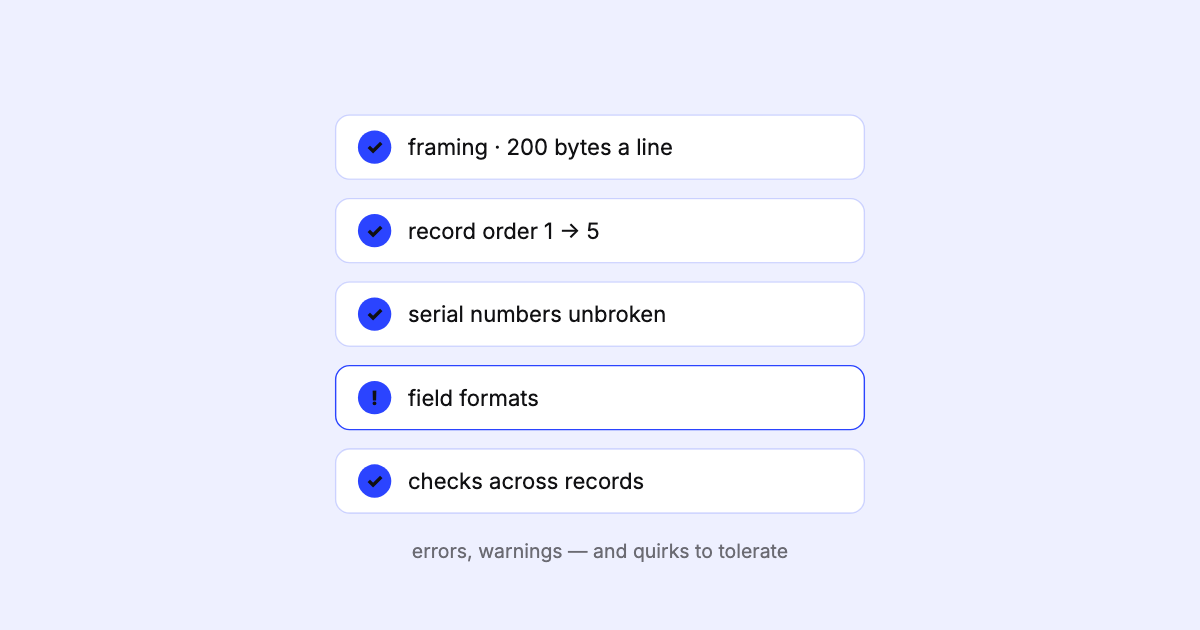
An SSIM schedule can be wrong without ever raising an error. What goes wrong in real files, what it costs downstream, and why validation has to come first.
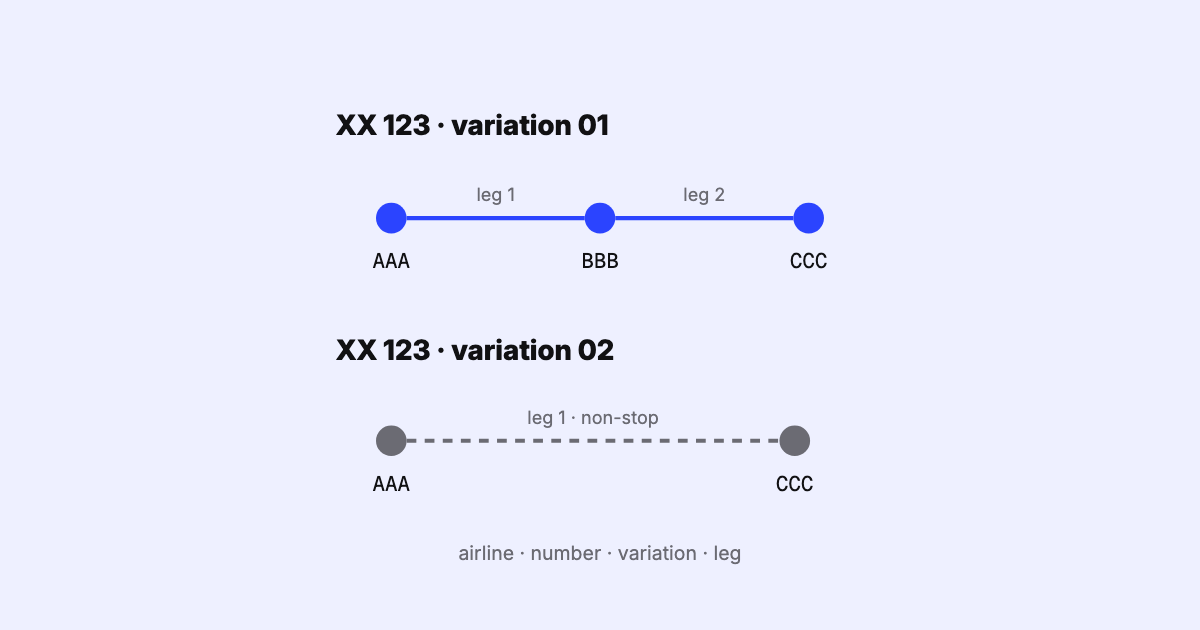
How SSIM names a flight leg: airline, flight number, itinerary variation and leg sequence. How variations are numbered, the overflow byte, and multi-leg dates.