Every flight leg record in an SSIM file carries a
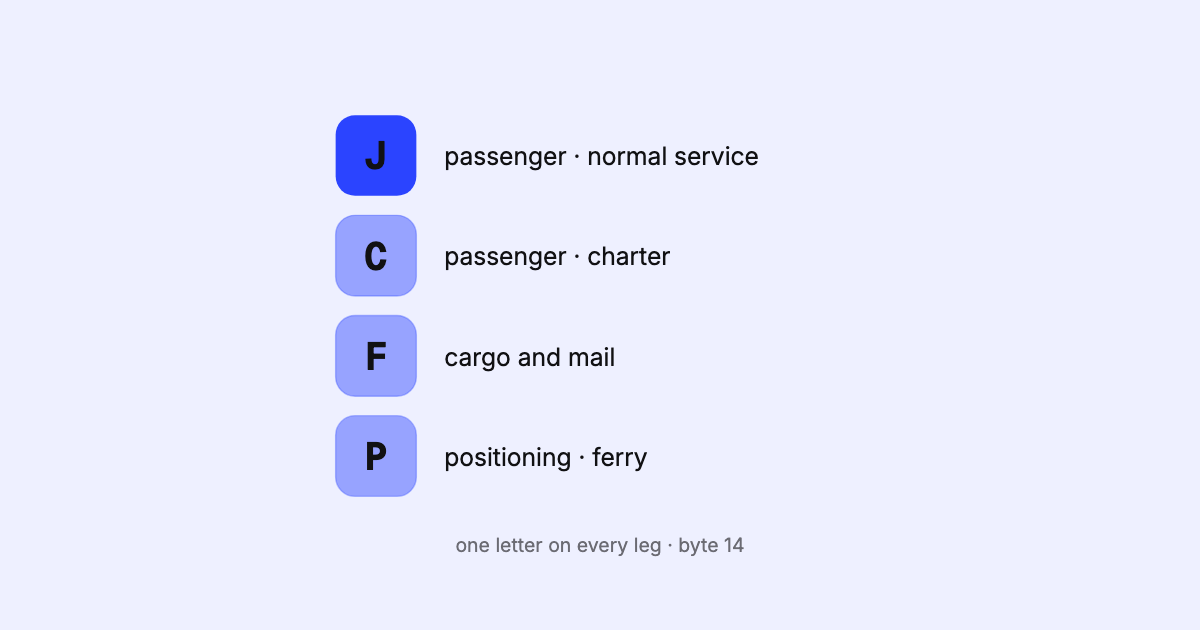
one-letter service type. It classifies the leg: a normal scheduled passenger
service is J, a scheduled cargo flight is F, a passenger charter is C, a positioning or
ferry flight is P. Before you count flights, seats or markets from a schedule, this is the field
that decides which legs belong in the count.
The letters are defined in an appendix of the IATA SSIM manual. Here they are grouped the way an
analysis uses them, in our own words.
The codes, grouped
Scheduled services
J — passenger, normal service. The bulk of most airline schedules.S — passenger, shuttle mode (a walk-on style service).Q — passengers and cargo in the cabin, on a mixed-configuration aircraft.F — cargo and/or mail, loose-loaded or in preloaded devices.M — mail only.U — passenger service operated by a surface vehicle (a train, a bus).V — cargo or mail service operated by a surface vehicle.
Additional flights — extra sections or flights added to the regular schedule:
G — passenger, normal service.B — passenger, shuttle mode.A — cargo and/or mail.R — passengers and cargo in the cabin, mixed configuration.
Charters
C — passengers only.H — cargo and/or mail.L — passengers together with cargo and/or mail.O — a charter needing special handling.
Everything else — flights that move aircraft or serve a special purpose rather than sell
seats on a timetable:
P — non-revenue: positioning, ferry, delivery, demonstration.T — technical test.K — training (school or crew checks).D — general aviation.E — special, for an aviation authority or government.W — military.N — business aviation or air taxi.X and I — a technical stop, and state, diplomatic or air ambulance flights; both are meant
for slot-coordination messages rather than schedule files.
The letters Y and Z are left for an airline’s own internal use, so their meaning depends on
who filed the file.
Which codes count as “passenger flights”?
A common question with no single answer — it depends on what you are measuring. A reasonable
starting point for passenger capacity is the codes whose operation is passenger:
J S Q G B R C L U
Then make two deliberate choices rather than letting a filter make them for you:
- Surface services (
U, and cargo V). A rail or bus link filed under an airline code is a
real, sellable service — but it is not a flight. Most air capacity questions leave it out;
network and connectivity questions often want it in. The aircraft type usually agrees: surface
legs carry equipment codes for trains or buses.
- Charters and additional flights (
C, L, G, B, R). Include them for “what flies”,
leave them out for “what the regular timetable offers”.
Cargo (F, M, A, H, V) and the non-revenue group are excluded from passenger counts, but
belong in an airport’s movement count or an aircraft’s day. The SSIM manual also notes that a
passenger service may well carry some cargo and mail; the service type describes the main
purpose, not everything on board.
Trap one: J is not business class
J appears in two unrelated places on the same record. As the service type it means a
normal scheduled passenger flight. In the aircraft configuration and booking designators it is
a cabin or class code: premium business. A schedule full of J service types says nothing
about how many business seats it has.
The same goes for C, F, S, Y and other letters that appear in both lists: read the
letter by its position, never by itself. (Cabin codes are covered in
seats from a string.)
Trap two: service type belongs to the leg
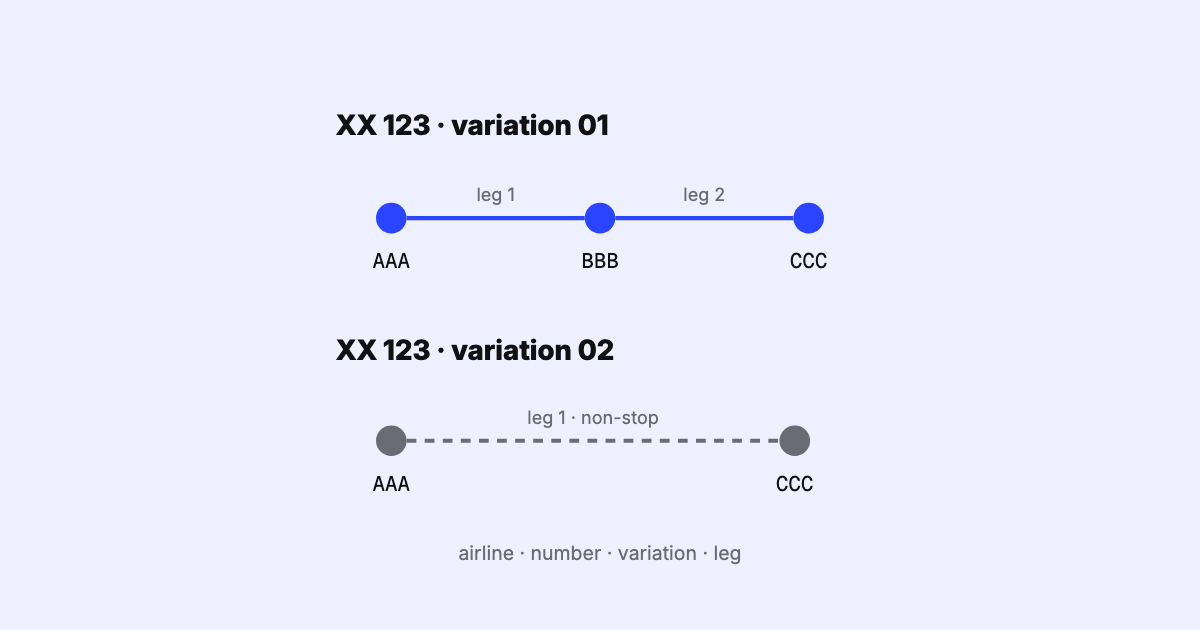
The service type is set per leg. A two-leg flight A–B–C can be a scheduled passenger service
on A–B and a charter on B–C. When that happens, SSIM says no assumption can be made about the
through segment A–C; if that segment must not be sold, the airline marks it with a traffic
restriction. So:
- filter by service type leg by leg, not by flight number;
- don’t infer a segment’s service type from its first leg.
Trap three: the service type is not the aircraft
A J leg can be flown by a freighter-convertible aircraft, and an F leg can be flown by a type
that normally carries passengers. The SSIM manual is explicit that the service type does not
replace the aircraft configuration. If you need seats, read the
configuration; if you need “is this a passenger flight”, read the service type.
Using it in an analysis
Decide which service types count as passenger capacity before you count anything. Write the list down and keep it with the analysis. Two people asked “how many flights” will
otherwise answer with two different filters — and both will be right about their own number.
More on asking a schedule questions directly in querying a schedule with SQL,
and on what to count in counting weekly frequencies and seats.
FAQ
What does service type J mean in SSIM?
A scheduled passenger flight, normal service. It is the most common code in airline schedules.
What does service type C mean?
A passenger charter. H is a cargo charter and L a mixed passenger-and-cargo charter.
What is service type P?
A non-revenue flight: positioning, ferry, delivery or demonstration. It moves an aircraft but sells
no seats.
Where does the service type appear?
On every flight leg, and repeated on the segment records that belong to it.
SSIM Toolkit reads every field of every leg, the service type included, and its SQL Notebook
lets you run a filter like the one above against your own file — read-only, on your own machine,
with the same answer every time you run it. See the product page.
Sources